12 Best Free AI Homework Helper Apps Online 2026 (Math, Writing & Tips)
Stuck on complex assignments or tight deadlines? You are not alone. A comprehensive study by Stanford University found that 56% of students consider homework a primary source of stress. Enter the era of the AI Homework Helper. Gone are the days of late-night textbook flipping; today's best AI homework helper tools act as your 24/7 research assistant.
But with hundreds of "apps for kids" and AI Math Solver tools available, how do you choose? In this guide, we review the top 12 free AI homework helper tools for 2026. We look beyond simple "answer scanners" to find advanced platforms that help solve equations, organize notes, and master your coursework.
TL;DR: There is no single best free AI homework helper — match the tool to the task. Use Mathos AI or Gauth for step-by-step math, Socratic for free visual explanations on mobile, Question AI or Homeworkify for quick answers with no account, Grammarly and Humanize AI to polish writing, and AFFiNE as the free all-in-one workspace that turns AI answers into organized notes, planners, and long-term study material. Every tool below has a usable free plan — the free-plan limits table further down shows exactly where each paywall starts.
What is an AI Homework Helper?
Before we dive into the list, let's define what we mean by homework AI help. An online AI homework helper is software that uses artificial intelligence—specifically Large Language Models (LLMs) and computer vision—to assist students with learning tasks.
These tools generally fall into two categories:
-
Solvers & Scanners: Apps where you snap a picture of a math problem, and it spits out the answer (e.g., "Gauth" or "Photomath").
-
Comprehensive Learning Workspaces: Advanced AI homework helper platforms that help you brainstorm, write, organize citations, and manage projects (e.g., AFFiNE).
While "solvers" are good for quick fixes, they often fail to teach you how to learn. The best homework helper AI should do more than just give answers—it should help you understand the material and organize your knowledge.
Why You Need an Advanced AI Helper (Not Just a Chatbot)
Many students default to basic chatbots for free homework AI helper needs. While useful, they lack context. They don't know your previous notes, they can't visualize concepts on a whiteboard, and they struggle with long-form writing.
It isn't just a tool to "get the homework done"; it's a workspace to "master the subject."
Key Features to Look For:
-
Multimodal Capabilities: Can it handle text, images, and PDFs?
-
Organization: Can it structure your research into mind maps or tables?
-
Accuracy: Does it minimize hallucinations in complex subjects?
-
Availability: Is there an AI homework helper app for mobile and a web version for desktop?
Top 12 Best AI Homework Helpers
With so many options available, we’ve categorized the best tools for 2026 so you can find exactly what you need—whether it’s a math solver, an essay writer, or an all-in-one workspace.
Best for Writing & Humanizing
1. Humanize AI
Best for: Refining AI-generated text. Worried about your essay sounding robotic? Humanize AI helps rewrite content to sound more natural and engaging, ensuring your homework reflects a human tone while maintaining academic integrity.
2. Grammarly
Best for: Grammar, Tone, and Clarity. An essential browser extension that ensures your essays are mistake-free and easy to read.
Best All-in-One Workspace - AFFiNE AI (The Ultimate Study Hub)
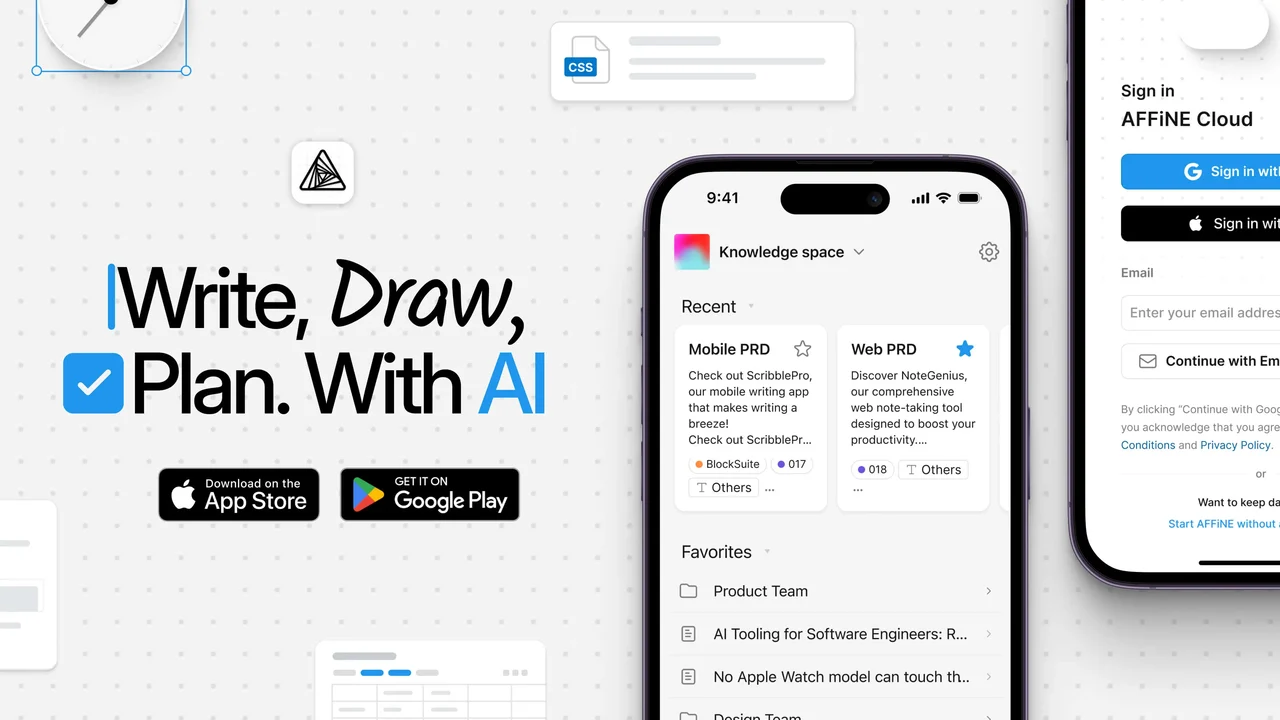 Best for: Research papers, essay writing, project management, and visual learning.
AFFiNE is not your typical homework helper AI. It reimagines how students interact with information. Unlike a simple Q&A bot, AFFiNE is a unified workspace that combines a collaborative whiteboard, notion-like documents, and a powerful AI assistant.
Why AFFiNE is Unique:
-
From Brainstorm to Essay: Stuck on an essay topic? Use AFFiNE’s AI to generate ideas on a visual whiteboard. Group them into a mind map, and then with one click, convert that map into a structured document outline. No other ai helper for homework offers this seamless transition.
-
AI Writing Partner: AFFiNE’s AI can help you draft paragraphs, summarize long PDFs, check grammar, and even change the tone of your writing—all within your document.
-
Private & Secure: For students concerned about data privacy, AFFiNE offers a "Local First" approach, meaning your homework data stays on your device unless you choose to sync.
Verdict: If you need a free AI homework helper that handles complex projects and acts as a "second brain," AFFiNE is the top choice. If your main workload is lectures rather than problem sets, start with our roundup of free AI note takers for students.
Best for Math & Science (Solvers)
1. Mathos AI (formerly MathGPT Pro)
Best for: Complex Calculus and Algebra. While basic apps handle simple arithmetic, general LLMs often struggle with complex calculations due to hallucination issues. Mathos AI addresses this by using a specialized model that claims to be 20% more accurate than standard models for advanced math. It provides detailed, step-by-step logic, acting like a specialized math tutor.
2. Gauth (Gauthmath)
Best for: Mobile scanning & Fast Solutions. If you have a printed worksheet, Gauth is your best friend. Its image recognition is top-tier for scanning math, chemistry, and physics problems instantly. If most of your homework arrives as photos or worksheets, see our full guide to picture-based AI homework helpers for prompts that make photo solvers more reliable.
3. Wolfram Alpha
Best for: Data Science and Computational Knowledge. The "Google for Math." It doesn’t just guess; it computes factual answers based on structured data.
Best Free & Quick Q&A Tools
1. Homeworkify
Best for: accessing solutions without paywalls. A favorite among students, Homeworkify is known for providing free, instant answers to questions that are often blurred on other platforms. It’s a great budget-friendly option.
2. Question AI
Best for: Instant Q&A without Sign-up. Need a quick answer right now? Question AI allows you to type or snap a question and get a detailed explanation immediately, often with no registration required.
3. Socratic by Google
Best for: Visual Learners (Mobile). Completely free and reliable, Socratic finds the best educational videos and diagrams to explain concepts visually.
Best AI Tutors (Personalized Help)
1. StudyMonkey.ai
Best for: 24/7 Personalized Tutoring. StudyMonkey tracks your progress and identifies your weak spots, offering a personalized tutoring experience rather than just one-off answers.
2. Studyable
Best for: Essay Grading and Chat. Offers a unique "Essay Grader" feature that gives you feedback on your writing before you hand it in to your teacher.
3. ChatGPT / TalkAI
Best for: General Knowledge & Coding. The versatile standard. Great for brainstorming, coding help, and general explanations, though it may lack the specialized visual features of Mathos or AFFiNE.
How We Ranked the Best AI Homework Helpers
With dozens of tools claiming to be the "best," we expanded our list to 12 top contenders. To ensure you find the right match, we evaluated them based on four evolved criteria:
-
Specialized Capability: Does the tool excel in its niche? (e.g., Is Mathos AI significantly better at calculus than a general chatbot? Does Humanize AI truly make text sound natural?)
-
Multimodal Power: Can the tool handle more than just text? We prioritized apps that support image scanning (OCR), PDF uploads, and voice inputs—essential for modern homework.
-
Speed & Accessibility: Students need answers fast. We favored tools that offer instant solutions or no-sign-up access (like Question AI and Homeworkify).
-
Cost vs. Value: Is the free AI homework helper version generous enough for daily use, or is it just a paywall trap?
Comparison Table: Best AI Homework Helpers
| AI Tool | Best Use Case (Core Strength) | Key Feature | Pricing |
|---|---|---|---|
| AFFiNE | All-in-One Workspace | Whiteboard + Docs + AI Assistant | Free / Pro |
| Mathos AI | Advanced Math Solving | 20% Higher Math Accuracy | Free / Pro |
| Gauth | Mobile Math Scanning | Instant Photo Solver | Free / IAP |
| Homeworkify | Unblurring Answers | Accessing Hidden Solutions | Free |
| StudyMonkey | 24/7 Tutoring | Personalized Progress Tracking | Free / Paid |
| Humanize AI | Essay Writing | Makes AI Text Sound Human | Free / Paid |
| Question AI | Quick Q&A | No Sign-Up Required | Free |
| Wolfram Alpha | Computational Data | Scientific & Math Data Engine | Free / Pro |
| Socratic | Visual Learning | Google-backed Video Explanations | Free |
| Studyable | Essay Feedback | AI Essay Grader | Free |
| Grammarly | Writing Polish | Grammar & Tone Correction | Free / Premium |
| ChatGPT | General Queries | Coding & Brainstorming | Free / Plus |
Quick Verdict:
-
Need to manage projects, notes, and research in one place? Go with AFFiNE.
-
Stuck on a specific math problem? Try Mathos AI or Gauth.
-
Need to polish your essay? Use Humanize AI and Grammarly.
-
Looking for free answers without an account? Check out Homeworkify or Question AI.
What the Free Plans Actually Include (2026)
"Free" hides very different realities: some tools are genuinely free, some are demos with a daily cap, and some charge at exactly the moment you need the explanation. Plans change often, so treat the table below as the pattern each free tier follows as of mid-2026 — and confirm the current limits on the official pricing page before you rely on one during exam week.
| Tool | What the free tier covers | Account needed? | The catch |
|---|---|---|---|
| AFFiNE | Unlimited local docs, whiteboard, and a metered allowance of AI credits | No for local use; yes for cloud sync | Heavy AI use draws down credits and needs Pro |
| Mathos AI | Step-by-step solutions for a limited number of problems | Yes | Daily solve limits; advanced problem types push to Pro |
| Gauth | Photo scanning with basic solutions | Yes (mobile) | Ads between answers; "expert" solutions are paid |
| Wolfram Alpha | Unlimited basic computations on the web | No | Step-by-step breakdowns are Pro-only — you get the answer, not the method |
| Homeworkify | Free answer lookups | No | Availability is unstable; mirror domains come and go |
| Question AI | Basic Q&A by text or photo | No for basic use | Daily limits; deeper explanations may require an account |
| Socratic | Everything — fully free | No | Mobile app only; no desktop or web version |
| StudyMonkey | A small daily allowance of tutoring questions | Yes | Caps reset daily; progress tracking sits behind the paid plan |
| Studyable | Limited chat and essay feedback | Yes | Full essay-grading volume is paid |
| Grammarly | Core grammar, spelling, and punctuation | Yes | Clarity rewrites, tone, and plagiarism checks are Premium |
| Humanize AI | Small rewriting jobs | No for short text | Per-request word caps; bulk rewriting is paid |
| ChatGPT | General chat with usage caps | Yes | Message and model throttling at peak times; limited file uploads |
Free-Tier Traps to Watch For
-
The explanation paywall. Several solvers give the final answer free but charge for the steps — the only part that helps you on the exam.
-
Daily caps. A few-questions-per-day limit is fine on a quiet week and useless during finals. Check the reset rules before you depend on a tool.
-
Ad-gated answers. Mobile solvers often insert ads or wait timers between scans; budget extra time if you are working against a deadline.
-
Paying with your data. If a tool is free with no visible business model, assume uploads may be retained. Never upload anything containing your name, student ID, grades, or school-portal content — the privacy checklist below covers this.
-
Mobile-only free tiers. Some tools are free on the phone but lock the desktop or web version, which matters for essay-length work.
How to Use AFFiNE to Crush Your Homework
To truly benefit from homework ai help, you need a workflow. Here is how you can use AFFiNE to tackle a difficult history or literature assignment.
Step 1: Resource Gathering & AI Summarization
Don't read 50 pages of PDF if you don't have to. Upload your reading materials into AFFiNE. Use the AI helper for homework feature to summarize key chapters and extract main arguments.
- Action: Highlight text and ask AFFiNE: "Explain this concept in simple terms."
Step 2: Visual Brainstorming (The Whiteboard)
Open AFFiNE’s Edgeless Mode (Whiteboard). Drag your summarized notes onto the canvas. Use the AI to generate related topics.
- Example: If your topic is "The Causes of WWI," ask AFFiNE to generate a timeline or a cause-and-effect map directly on the whiteboard. A controlled trial published in Medical Education found that the mind map study technique improved factual recall compared with students' usual note-taking methods. This visual approach helps you understand the connections, not just memorize them.
Step 3: Drafting with AI Assistance
Switch to Page Mode. Drag your mind map notes into the document area. Now, use the AI writing assistant to expand your bullet points into full paragraphs.
- Note: Use the AI to overcome writer's block, not to write the whole thing for you. AFFiNE allows you to iterate: write a sentence, ask AI to improve it, and keep going.
Step 4: Organization and Review
Keep your class schedule, assignment to-do lists, and draft versions all in one AFFiNE folder. No more switching between 5 different ai homework helper apps. Pair your notes with a homework tracker or an assignment tracker, and use the free Academic Planner template to keep deadlines, notes, and revision sessions in one view.
Tips for Using AI Helper Effectively
The difference between "AI helped me learn" and "AI did my homework" is mostly in how you prompt. Ask for tutoring, not substitution, and every tool on this list becomes both safer and more useful.
Prompts That Teach Instead of Cheat
-
"Give me three hints before showing the solution."
-
"Explain the mistake in my attempt, but do not rewrite the final answer for me."
-
"Name the rule used at each step and explain why it is allowed."
-
"Turn this solution into flashcards and two similar practice problems."
-
"Check whether my outline answers the prompt and follows this rubric."
-
"List which claims still need a citation before I submit."
Stay on the Right Side of Academic Integrity
Rules differ by school and even by course. Before you lean on any AI tool for graded work, check the syllabus and your school's policy — MIT's academic integrity handbook is a good example of what institutions expect, and many universities now publish AI-specific rules. When in doubt, ask the teacher: using AI to understand material is broadly accepted; submitting its output as your own work is not.
Protect Your Data While Using Free Tools
-
Crop or blur your name, student ID, email, and school name out of screenshots before uploading.
-
Never upload teacher-only material, graded feedback, or anything from a private course portal.
-
Prefer tools that publish a clear data-retention policy.
-
Keep your master notes in a workspace you control — AFFiNE's local-first design means your documents stay on your device unless you choose to sync.
Conclusion: Choose the Right Tool for the Job
The landscape of online ai homework helper tools is vast. If you just need to solve for equations, a scanner app works fine. But education is about building knowledge, not just finishing tasks.
AFFiNE stands out as one of the best free ai homework helper for students who want to take control of their learning. It combines the creativity of a whiteboard, the structure of a document editor, and the intelligence of an AI assistant into one powerful platform.
Stop juggling five different apps to get your homework done. Experience the future of studying with AFFiNE.
Try AFFiNE for Free Today - Your Ultimate Homework Companion.
FAQ: Common Questions About AI Homework Helpers
Q: Is there a completely free AI homework helper?
A: Yes. AFFiNE offers a generous free plan that includes AI credits, whiteboard features, and unlimited local documents. Tools like Socratic are also free but limited to mobile.
Q: Can AI homework helpers write my essay for me?
A: Technically, yes, but you shouldn't rely on it entirely. Teachers can detect AI-generated content that lacks human nuance. The best homework helper ai strategy is to use tools like AFFiNE to outline and draft, but add your own critical thinking.
Q: What is the best AI homework helper for math?
A: For pure calculation, Wolfram Alpha or Gauth are great. However, for organizing math notes and theorems, AFFiNE is better for long-term study.
Q: Is using an AI homework helper considered cheating?
A: It depends on how you use it. If you simply copy-paste answers without understanding, it hinders your learning and may violate academic integrity policies. However, using tools like AFFiNE to brainstorm ideas, organize notes, or explain difficult concepts is generally considered a smart study strategy. In fact, UNESCO's guidance on AI in education encourages the use of AI tools for "idea generation and structural support," provided that critical thinking remains human-led.
Q: Which free AI homework helper works without signing up?
A: Question AI, Homeworkify, and Wolfram Alpha (basic mode) answer questions without an account, and Socratic only needs the free mobile app. No-sign-up tools are the most convenient — and the ones to be most careful with: avoid uploading anything that identifies you or your school, and save verified explanations into your own notes so you are not dependent on the tool staying free.
Ready to study smarter?
Stop losing your research in browser tabs. Centralize your learning in one powerful workspace.
👉 [Download AFFiNE for Free] and start building your knowledge base today.