MLA Essay Header: Format, Examples, and Checklist
What an MLA Essay Header Includes
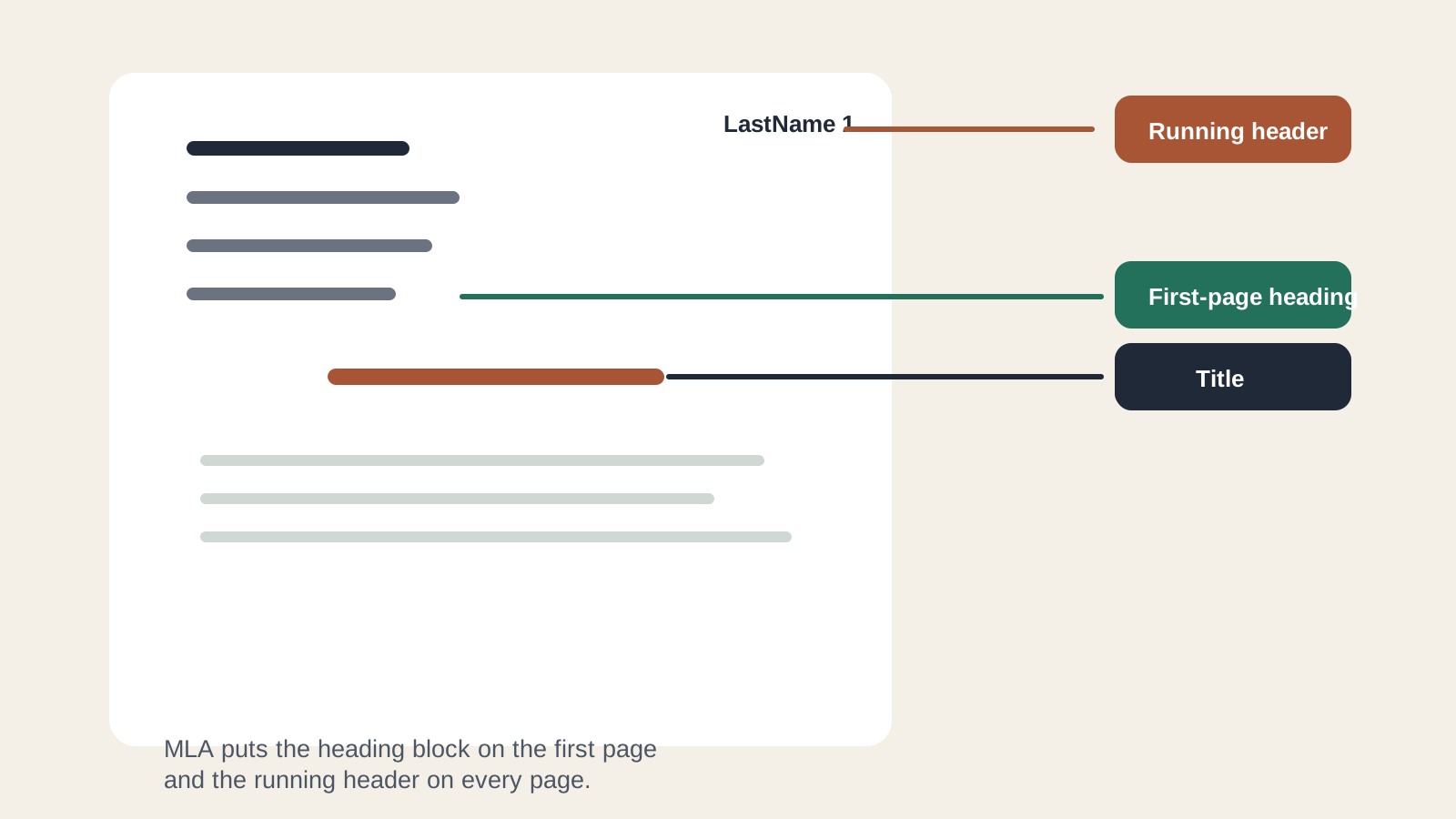
An MLA essay header is the small running label in the top-right corner of each page: your last name followed by the page number. Students often use "header" and "heading" interchangeably, but they are not the same part of the paper. The first-page MLA heading is the block with your name, instructor, course, and date. The running header is what repeats on page two, page three, and every page after that.
If you want the fastest setup, start with AFFiNE's MLA Heading Template. It gives you a clean page structure that you can adapt before exporting or submitting the essay. If you are formatting by hand, use the steps below as your checklist.
This guide follows widely used MLA classroom expectations and cross-checks the details against the MLA Style Center and Purdue OWL's MLA general format guide. Always follow your instructor's assignment sheet when it gives a different rule.
MLA Heading vs. MLA Header
The biggest formatting mistake is putting the right information in the wrong place. Use this distinction:
| Part of the paper | Where it appears | What it contains |
|---|---|---|
| MLA heading | Upper-left of the first page | Student name, instructor name, course name or number, date |
| Essay title | Centered below the first-page heading | The title of the paper, normally in title case |
| Running header | Upper-right of every page | Last name and page number |
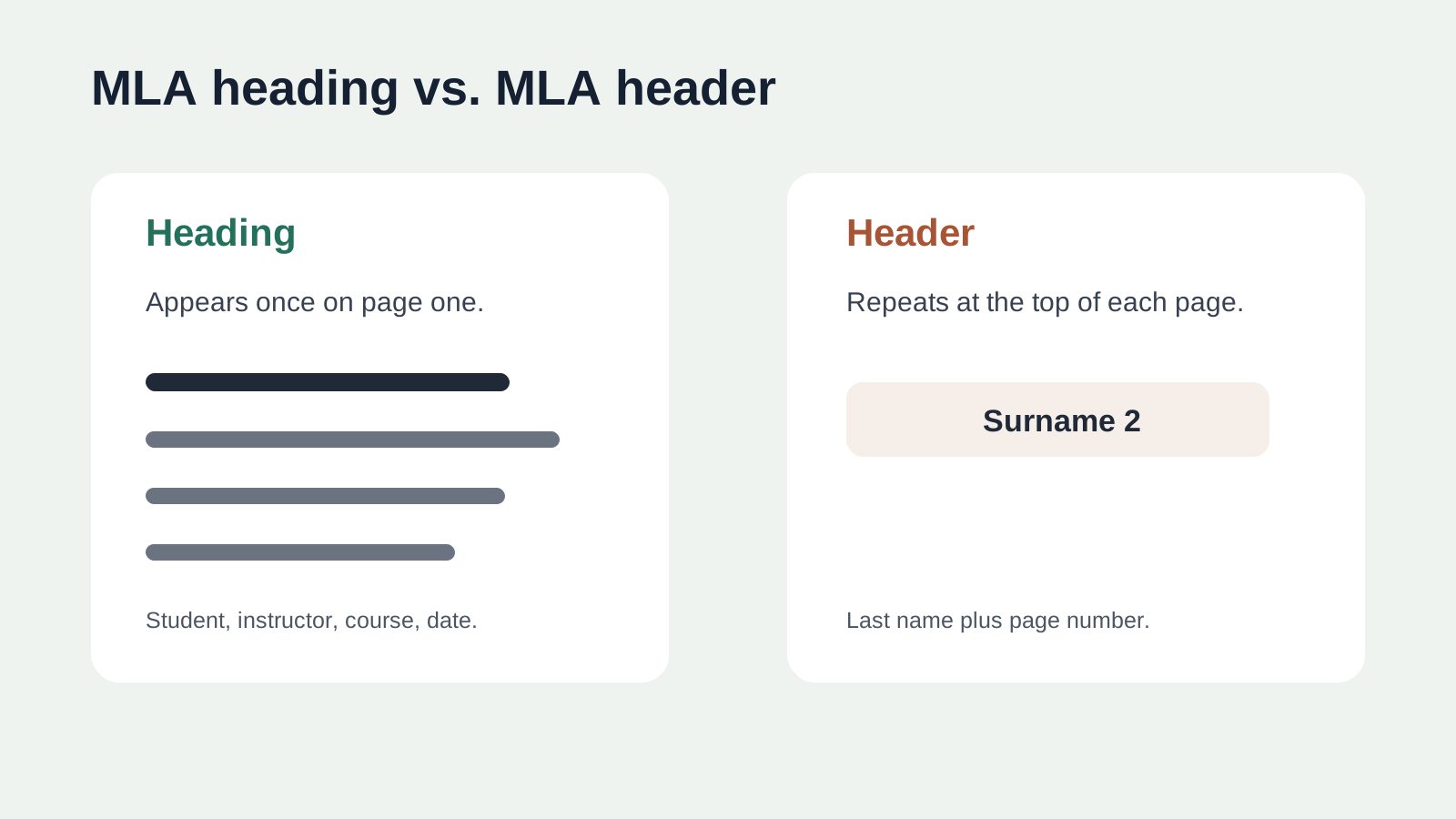
A simple rule works well: the heading identifies the assignment, while the header keeps every page identifiable if pages are printed, exported, or separated.
For papers dealing with US history topics, maintaining clear page headers is especially critical, as dense timelines, source citations, and primary documents can easily become mixed up if individual pages are detached.
First-Page MLA Heading Format
Place the first-page heading in the upper-left corner. Keep it double-spaced and use the same font and size as the rest of the essay unless your instructor asks for something else.
Use this order:
- Your full name
- Instructor's name
- Course name or course number
- Date of submission
Example:
| Line | Example text |
|---|---|
| 1 | Jordan Lee |
| 2 | Professor Rivera |
| 3 | English 101 |
| 4 | 26 June 2026 |
Do not add labels such as "Name:" or "Course:" unless the assignment specifically requires them. Do not place commas or periods at the end of the heading lines. The goal is a clean identification block, not a form.
Running Header Format
The running header belongs in the page header area, aligned right. It usually contains only the writer's last name and the page number:
| Page | Running header example |
|---|---|
| Page 1 | Lee 1 |
| Page 2 | Lee 2 |
| Page 3 | Lee 3 |
In Microsoft Word or Google Docs, use automatic page numbering instead of typing page numbers manually. Manual numbers break as soon as you add a paragraph, insert a citation, or revise the paper.
Step-by-Step Setup in Word or Google Docs
Follow these steps before you write the body of the essay:
- Set margins to one inch on all sides unless your assignment says otherwise.
- Use a readable font, commonly 12-point Times New Roman or another instructor-approved font.
- Turn on double spacing for the whole document.
- Add the first-page heading in the upper-left corner.
- Center the paper title below the heading.
- Open the document header and add your last name plus automatic page number on the right.
- Export a PDF and check that page two still displays the correct running header.
This sequence prevents the most common problem: formatting the first page correctly but losing the running header on later pages.
MLA vs. APA Header Rules
MLA and APA papers can look similar at a glance, but their first-page conventions differ. MLA commonly starts with a first-page heading and no separate title page unless requested. APA student papers use a title page with title, author, affiliation, course, instructor, and due date. APA student papers also normally use a page number in the header; a running head is usually for professional manuscripts or when an instructor requests it. See the APA Style title page guidance if you are switching formats.
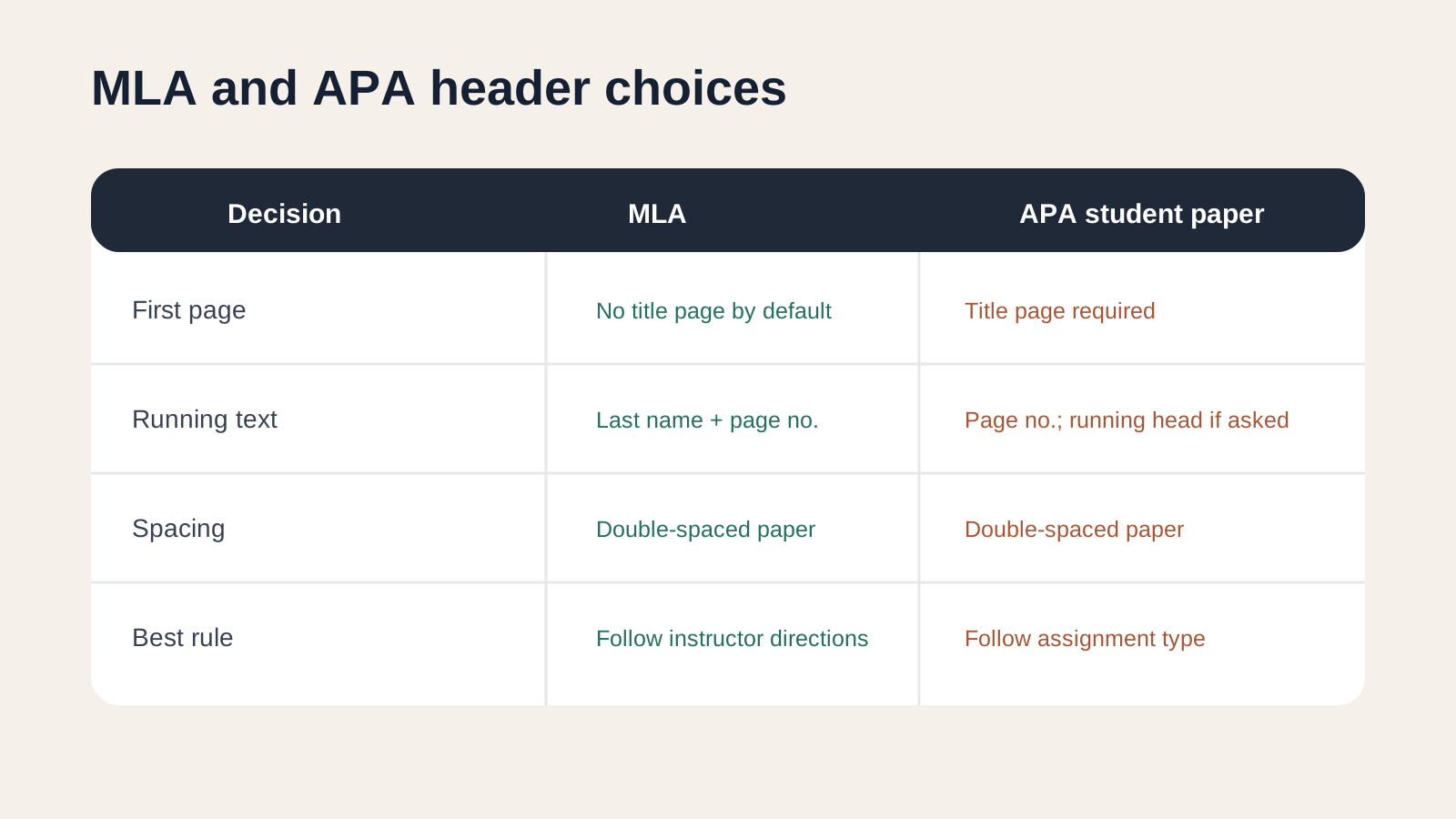
If the assignment says "MLA," do not import APA title-page habits. If it says "APA," do not submit an MLA-style first-page heading as a substitute for the title page.
Common MLA Header Mistakes
Check these issues before submitting:
| Mistake | Why it hurts the paper | Fix |
|---|---|---|
| Using "MLD" or another typo in the header label | It signals careless formatting | Proofread all visible labels and headings |
| Typing page numbers manually | Page numbers become wrong after revisions | Use automatic page numbering |
| Putting the full first-page heading on every page | It clutters the document | Repeat only the running header |
| Centering the running header | MLA pages are harder to scan | Right-align last name and page number |
| Using a decorative font in the heading | It distracts from academic content | Match the essay font |
| Forgetting to check the PDF export | Headers sometimes shift during export | Review the final submitted file |
These are small details, but they affect trust. A clean header tells the reader that the same care probably appears in citations, evidence, and argument structure.
When to Use an MLA Template
A template is most useful when you need to produce the same academic format repeatedly: essays, short responses, annotated bibliographies, literature reviews, or scholarship drafts that ask for MLA style. AFFiNE's MLA Heading Template can help you keep the heading, title, and running header in a consistent structure while you focus on the argument.
Use a template when:
- You are starting a new paper and want the layout right from the first draft.
- You need to export to PDF, HTML, or Markdown without rebuilding the format.
- You are managing several class assignments and want one repeatable setup.
- You want to connect the essay outline, notes, and final draft in one workspace.
For more related formatting guidance, see AFFiNE's guides to MLA heading, MLA header, and MLA format header.
Final MLA Header Checklist
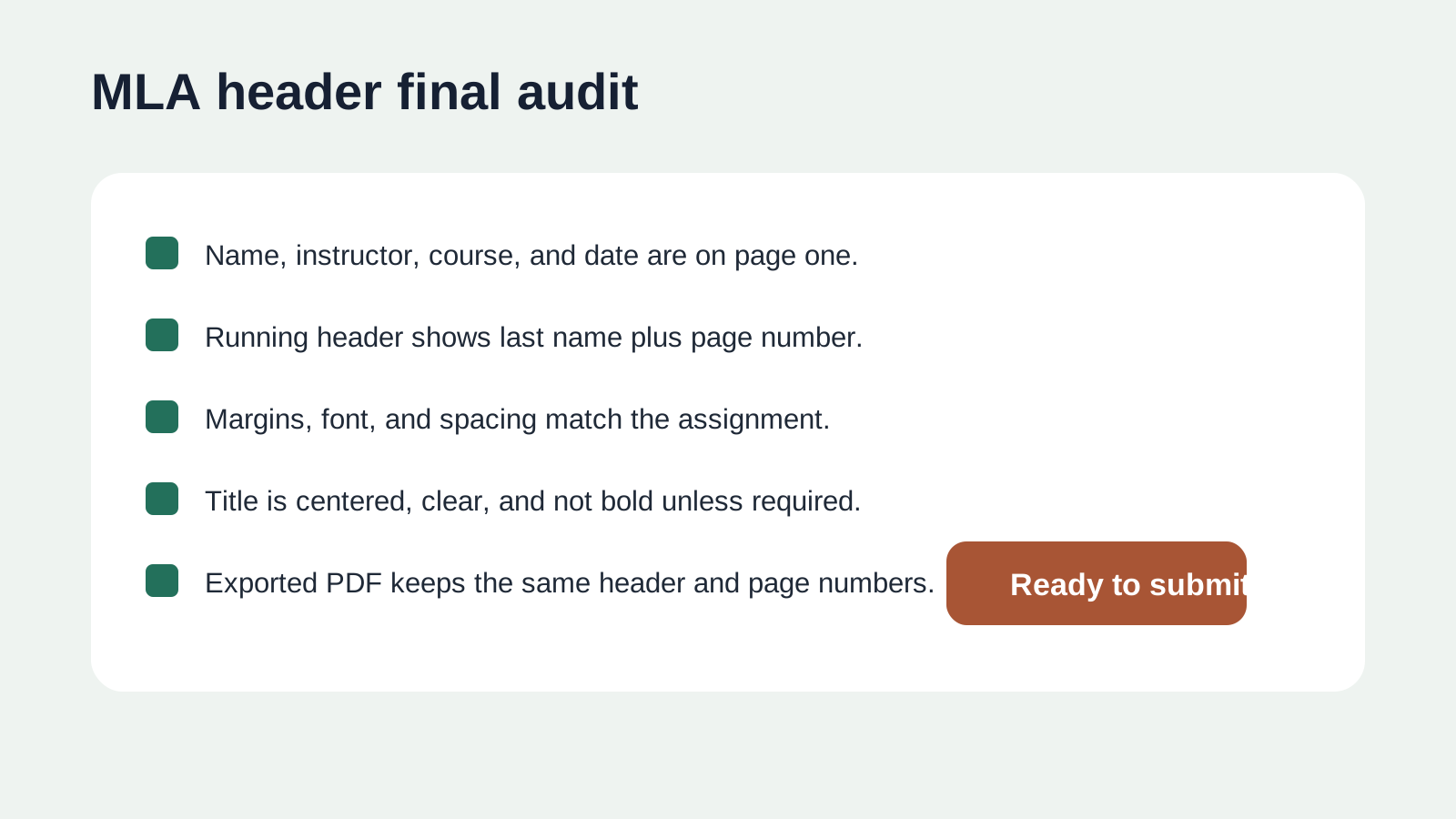
Use this audit before you submit the paper:
| Check | Pass criteria |
|---|---|
| First-page heading | Four lines in the correct order: name, instructor, course, date |
| Running header | Last name and automatic page number on every page |
| Alignment | Heading on the left, running header on the right, title centered |
| Spacing | Double-spaced consistently |
| Margins | One inch on all sides unless assigned differently |
| Title | Clear, centered, and not styled like a section heading |
| Export | Final PDF or upload preview keeps the same header layout |
If all seven checks pass, your MLA essay header is ready for submission.
Frequently Asked Questions
What is the difference between an MLA heading and an MLA header?
The MLA heading appears once on the first page and identifies the student, instructor, course, and date. The MLA header is the running label in the top-right corner of each page, usually the last name and page number.
Does MLA require a title page?
Usually no. MLA papers often start with the first-page heading and centered title. Use a title page only if your instructor or institution asks for one.
Should the MLA running header appear on page one?
In most MLA classroom papers, yes. The running header with last name and page number appears on the first page and continues through the paper.
What date format should I use in the MLA heading?
Use day-month-year format, such as 26 June 2026, unless the assignment gives a different format.
Can I use Google Docs for an MLA essay header?
Yes. Add the first-page heading in the document body, then use Insert, Header and page number to create the top-right running header with automatic page numbers.
How do I know if my MLA header is correct?
Open the final exported file and check page one and page two. Page one should have the first-page heading, centered title, and running header. Page two should keep only the running header at the top right.