Concept Maps: Benefits, Examples, and How to Build One
What Is a Concept Map?
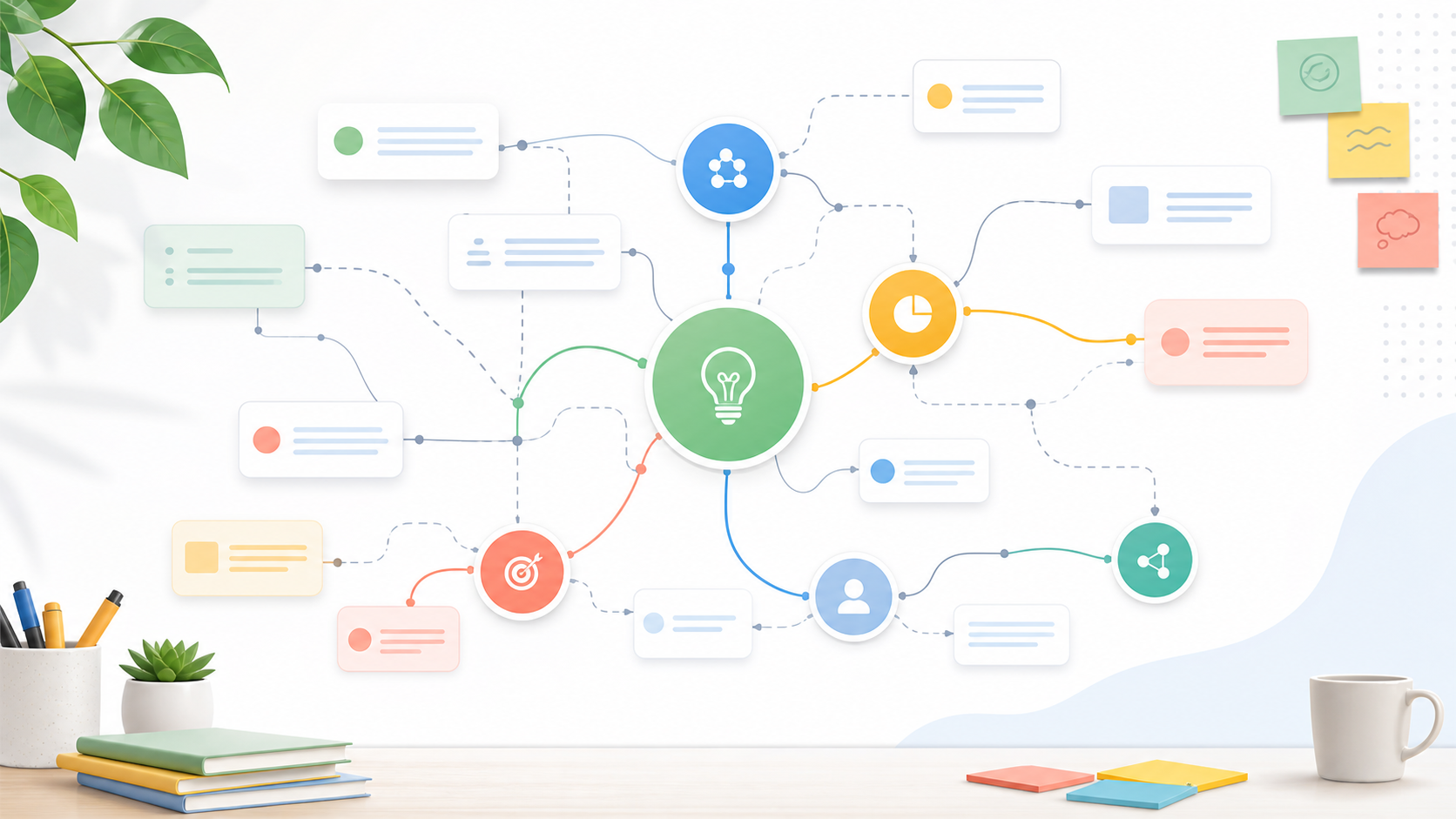
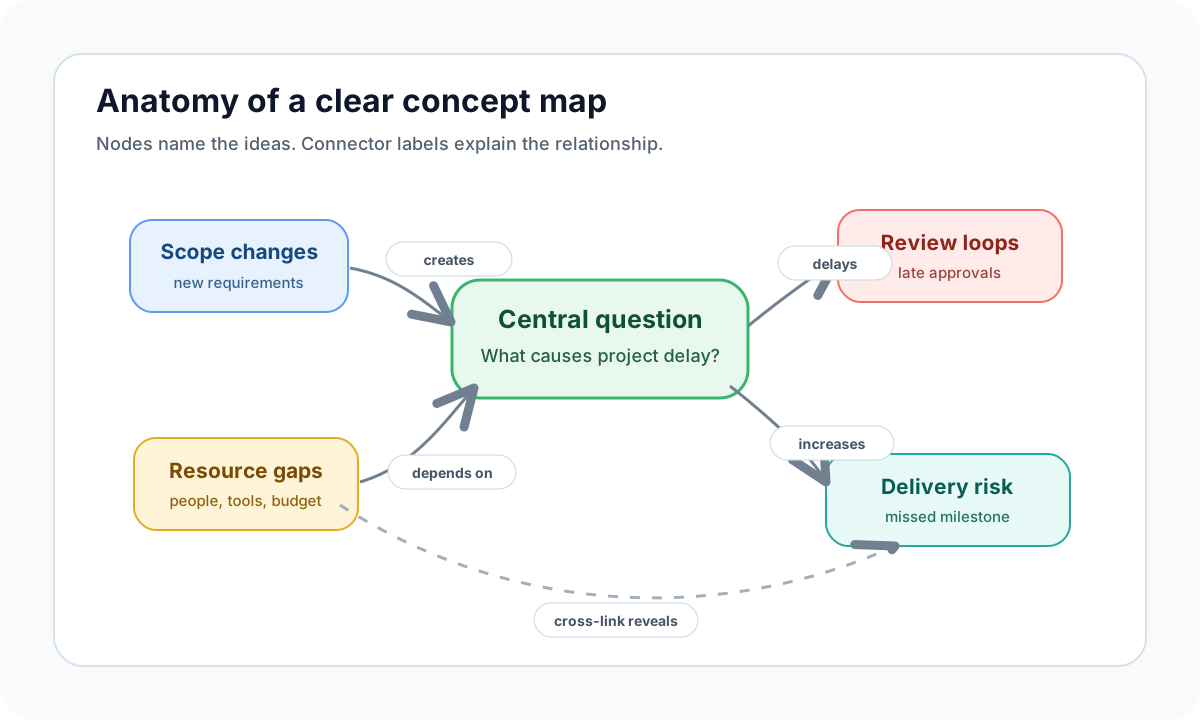
A concept map is a visual diagram that explains how ideas relate to each other. It uses nodes for concepts, lines for connections, and short linking phrases such as "causes," "depends on," or "is part of" to make each relationship explicit.
That relationship layer is what separates a concept map from a simple list of boxes. A mind map usually starts from one central topic and branches outward for brainstorming. A concept map can connect multiple clusters, show cross-links, and help a reader understand a system rather than merely remember a topic.
Concept mapping is especially useful when a subject has many moving parts: a biology process, a nursing care plan, a product strategy, a customer journey, or a technical architecture. Instead of forcing everything into linear notes, the map lets you see hierarchy, dependencies, and gaps at the same time.
Why Concept Maps Help
A good concept map improves clarity because it asks you to name the relationship between ideas. If you cannot label a connection, you may not understand it well enough yet.
For readers, concept maps reduce cognitive load. They make dense information scannable, show what matters first, and provide a path through complex material. For teams, they create a shared model that people can discuss, correct, and reuse.
The strongest benefits are practical:
- Clearer understanding: You can see how major and minor ideas fit together.
- Better recall: Visual structure gives the brain more retrieval cues than a paragraph alone.
- Faster problem solving: Cross-links reveal dependencies, risks, and missing assumptions.
- Stronger collaboration: A shared map helps a group debate the same structure instead of arguing from separate notes.
Concept maps work best when they are specific. A vague node like "strategy" is less helpful than "pricing strategy affects onboarding expectations." The second version gives the reader a relationship they can test.
Concept Map vs. Mind Map
People often use the two terms interchangeably, but they solve different problems.
| Format | Best for | Structure | Relationship labels |
|---|---|---|---|
| Mind map | Brainstorming, quick outlines, creative association | One central idea with branches | Optional or minimal |
| Concept map | Explaining systems, learning complex topics, planning decisions | Network of concepts with cross-links | Essential |
Use a mind map when you want to generate ideas quickly. Use a concept map when you need to explain how those ideas depend on, influence, or contradict each other.
For example, a student might use a mind map to brainstorm everything they know about photosynthesis. They would use a concept map to show how sunlight, chlorophyll, water, carbon dioxide, glucose, and oxygen relate through the light-dependent reactions and the Calvin cycle.
How to Create a Concept Map
Start with structure before design. The map should be readable even before you add colors, icons, or templates.
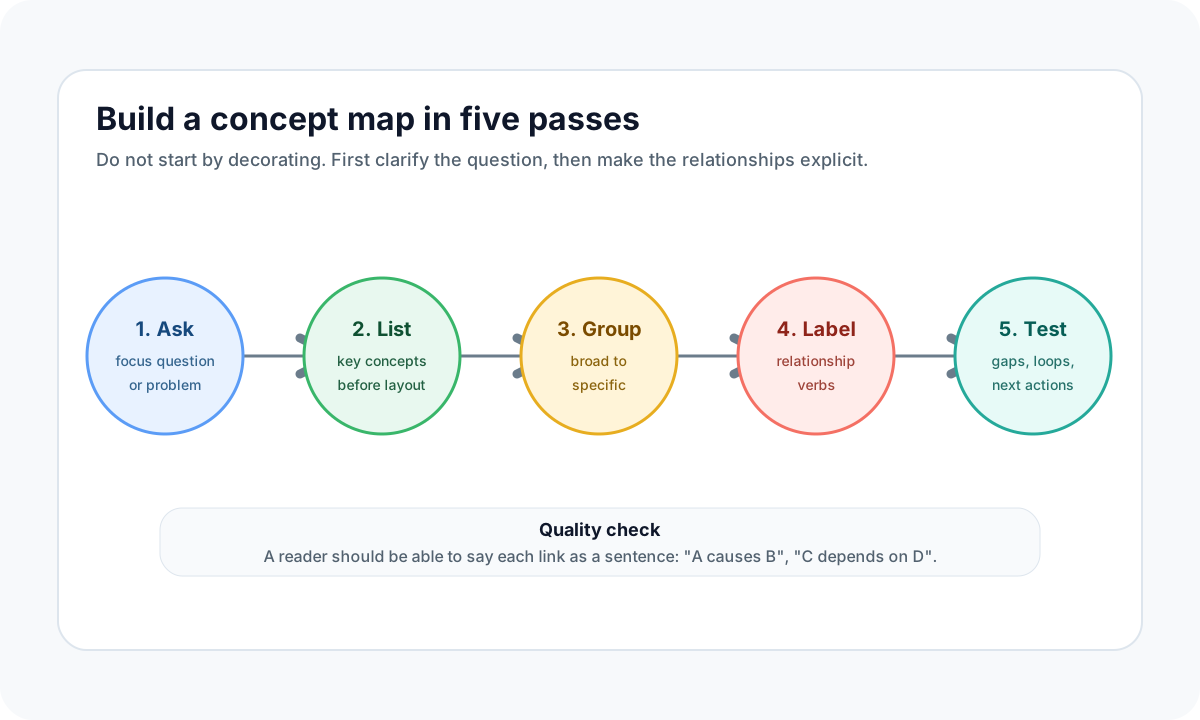
- Write a focus question. A useful map answers something specific, such as "What causes project delays?" or "How does photosynthesis produce glucose?"
- List the core concepts. Collect the nouns first: people, processes, symptoms, systems, decisions, or outcomes.
- Group broad and specific ideas. Put the most general concepts near the top or center, then arrange supporting concepts around them.
- Label every important connection. Use active phrases like "requires," "leads to," "prevents," or "is measured by." If the link cannot be named, reconsider whether it belongs.
- Review for gaps and cross-links. Look for duplicate concepts, missing causes, weak evidence, and relationships between distant branches.
A quick quality test: read each connection as a sentence. If "A causes B" or "C depends on D" sounds wrong, the map needs revision.
Four Common Types of Concept Maps
Different concept map structures fit different jobs.
- Spider maps: One central topic radiates outward. Good for early exploration and brainstorming.
- Hierarchy maps: Broad concepts sit above narrower ones. Good for learning taxonomies, product categories, and organizational structures.
- Flow maps: Steps appear in sequence. Good for procedures, patient workflows, onboarding, and decision paths.
- System maps: Multiple clusters interact. Good for software architecture, business processes, and cause-and-effect analysis.
Most real maps combine these patterns. A project map might use a hierarchy for goals, flow lines for milestones, and cross-links for risks.
Concept Map Examples by Field
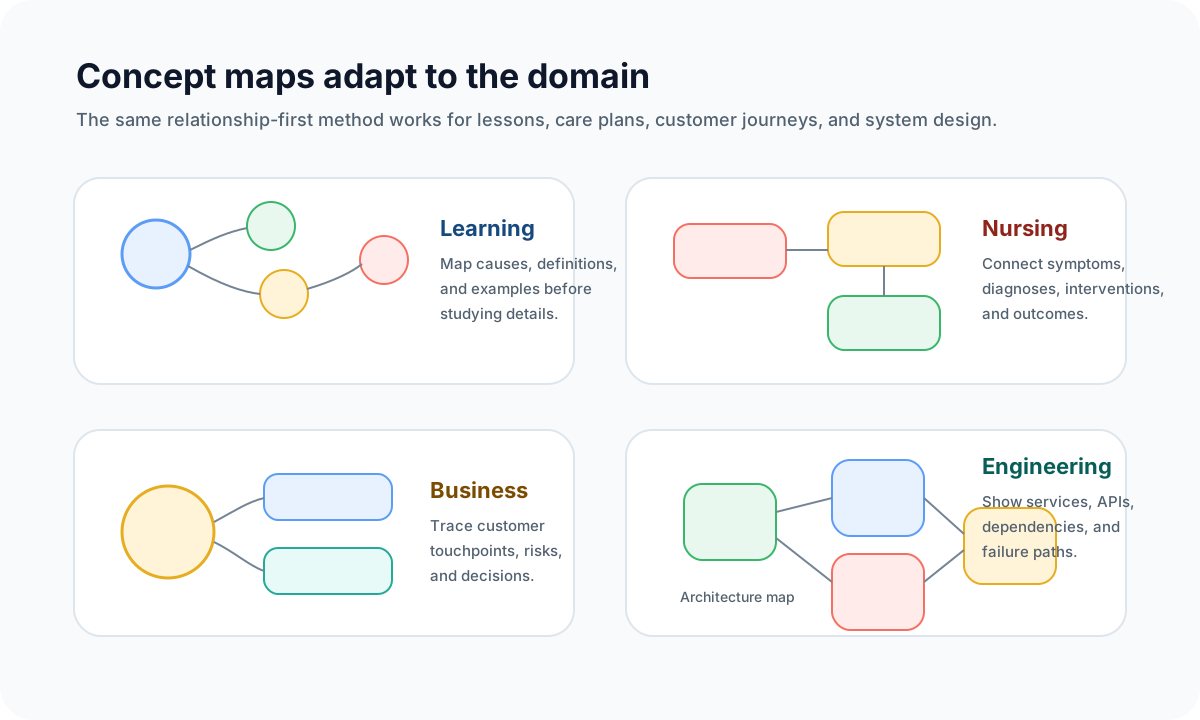
Concept maps are not limited to classrooms. The format is useful anywhere people need to explain connected information.
Education and Study
Students can map a chapter before writing an essay or preparing for an exam. A history map might connect causes, events, and consequences. A science map might connect processes, inputs, outputs, and exceptions.
Teachers can also use concept maps as assessment tools. If a student links the right terms but labels the relationship incorrectly, the map reveals the misconception faster than a multiple-choice answer.
For a more academic introduction to the method, the IHMC concept mapping guide explains the theory behind concept maps and meaningful learning.
Nursing and Healthcare
Nursing concept maps help connect symptoms, diagnoses, interventions, medication considerations, and expected outcomes. They are useful because patient care rarely follows one simple sequence; symptoms and treatments often influence each other.
A nursing map should be reviewed carefully because it supports real clinical reasoning. Keep patient identifiers out of shared examples, cite the source of any protocol, and treat the map as a thinking aid rather than a substitute for professional judgment.
Business and Product Planning
Business teams use concept maps to connect customer needs, product capabilities, risks, metrics, and owners. A customer journey map can show where marketing promises affect onboarding. A pricing map can connect packaging decisions to support burden and sales motion.
In product planning, the best concept maps make assumptions visible. If a team cannot explain why one feature supports a goal, the map exposes that weak link before it becomes roadmap debt.
Engineering and Systems Work
Engineering teams can use system maps to explain services, dependencies, APIs, data flows, and failure modes. This is especially useful during onboarding, incident review, and architecture planning.
A strong technical concept map should distinguish between facts, assumptions, and open questions. That keeps the diagram from becoming decorative documentation that no one trusts.
Choosing a Concept Map Tool
You can create a concept map on paper, in a slide deck, or in a whiteboard tool. The tool matters most when the map needs to change over time or support a team.
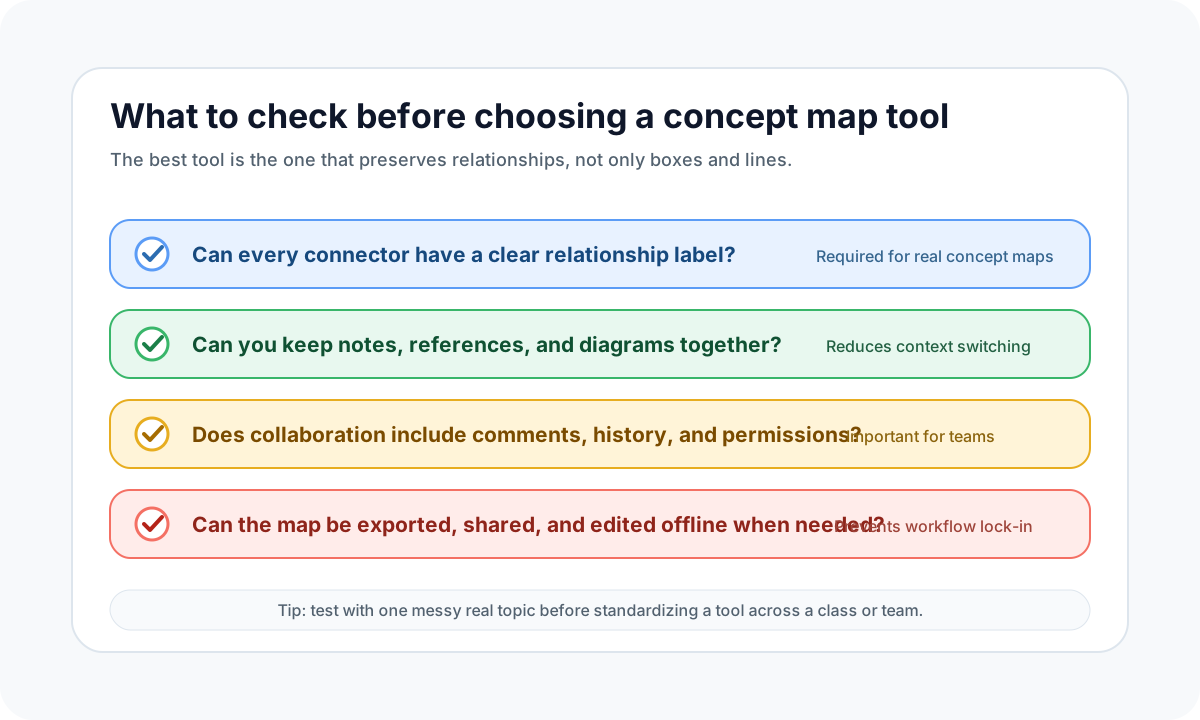
Look for these capabilities:
- Labeled connectors: Relationship labels are essential for true concept maps.
- Flexible canvas: Complex maps need cross-links and multiple clusters, not only tree branches.
- Templates without lock-in: Templates should speed up structure, not force every map into one layout.
- Linked notes and references: Teams need to attach evidence, decisions, and source material to nodes.
- Collaboration controls: Comments, version history, and permissions matter when several people edit the same map.
- Export options: PDF, PNG, or share links make the map usable in reports, lectures, and project docs.
- Offline access when needed: Fieldwork, travel, and restricted environments may require editing without a stable network.
AFFiNE is a strong fit when you want documents and whiteboards in one workspace. You can draft notes in page mode, move into Edgeless Mode for a visual map, and keep the map connected to supporting documents instead of exporting a static screenshot too early.
Using Templates Without Losing Quality
Templates are helpful when they reduce setup time. They are harmful when they make every problem look the same.
Use a template for recurring structures such as care plans, SWOT analysis, research summaries, or project dependencies. Then customize the labels, hierarchy, and cross-links for the actual topic. A concept map should explain this problem, not merely look like a polished diagram.
A practical template workflow:
- Choose the closest structure: spider, hierarchy, flow, or system.
- Replace generic placeholders with topic-specific concepts.
- Add relationship labels before styling.
- Check whether each branch answers the focus question.
- Add source notes or links for claims that need evidence.
For students, the University of North Carolina Learning Center offers a concise explanation of how concept maps support studying and organizing knowledge.
Collaborative Concept Mapping Best Practices
Team maps fail when everyone edits structure, language, and decisions at the same time. Treat the map as a shared model with light governance.
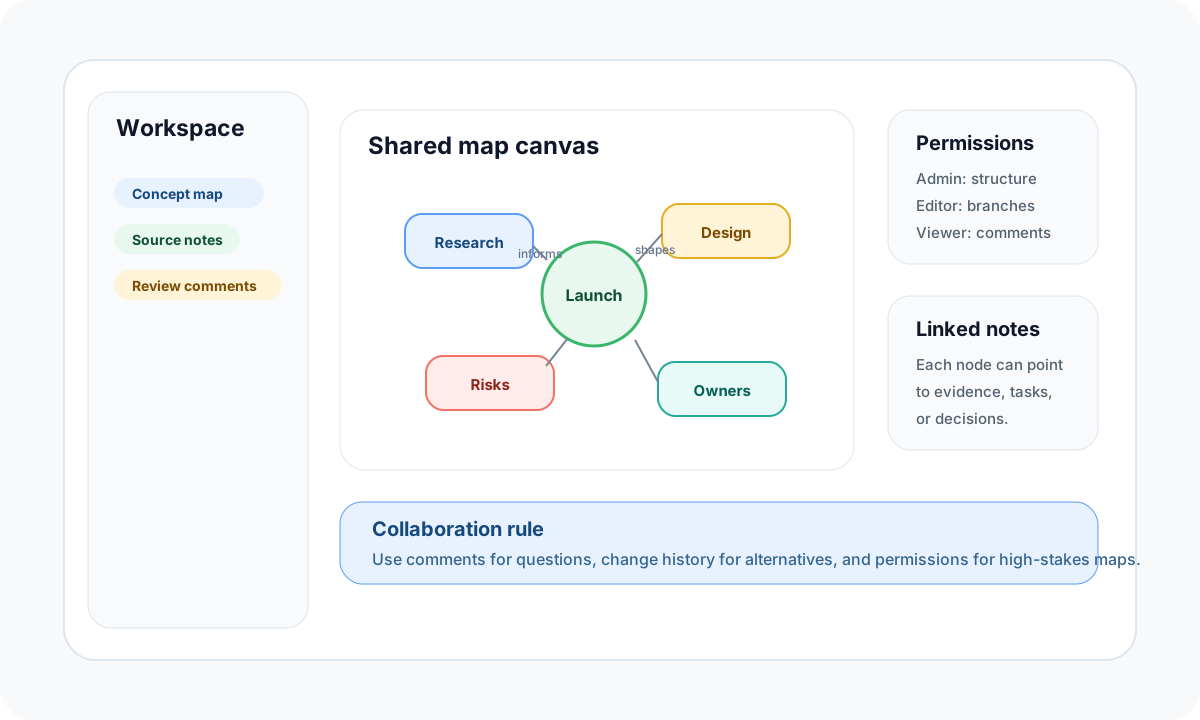
Use these rules for team concept maps:
- Name one owner for structure. Everyone can suggest changes, but one person should keep the map coherent.
- Separate comments from edits. Questions belong in comments until the team agrees to change the map.
- Use version history for alternatives. If two structures compete, duplicate the map or save a checkpoint before merging ideas.
- Define permission levels. Sensitive maps, such as clinical workflows or technical incident reviews, should not be fully editable by every viewer.
- Review the map after decisions. A concept map should evolve when assumptions change.
In AFFiNE, this workflow is natural because notes, whiteboards, and collaborative editing live together. A node can point to a source document, a task, a meeting note, or a decision record, which keeps the diagram connected to the work it represents.
Common Mistakes to Avoid
Even a visually polished map can be weak if the relationships are unclear.
Avoid these mistakes:
- Using unlabeled lines. A line without a verb makes the reader guess.
- Overloading the center. If every idea points to one node, split the map into clusters.
- Mixing levels of detail. Do not place a broad theme and a tiny task at the same level without context.
- Decorating before thinking. Colors and icons should clarify categories, not hide weak logic.
- Treating the first draft as final. Concept maps improve through review, especially when used by teams.
- Making unsupported claims. If a map includes statistics, clinical guidance, or product comparisons, attach a reliable source.
Conclusion
Concept maps are useful because they force relationships into the open. They help students study complex subjects, nurses organize care reasoning, business teams align on decisions, and engineers explain systems.
Start small: write one focus question, list the core concepts, and label the most important connections. Once the structure is clear, use a flexible tool such as AFFiNE to turn the map into a living workspace with notes, references, comments, and exports.
The goal is not to make a beautiful diagram. The goal is to make a complex topic easier to understand, discuss, and act on.
Frequently Asked Questions About Concept Maps
What are the main parts of a concept map?
A concept map has concepts, connectors, linking phrases, hierarchy, and cross-links. The linking phrases are especially important because they explain how two concepts relate, such as "causes," "requires," "supports," or "is measured by."
What is the difference between a concept map and a mind map?
A mind map usually starts from one central idea and branches outward for brainstorming. A concept map explains relationships across multiple ideas and often includes cross-links. Use mind maps to generate ideas and concept maps to explain systems.
What is the easiest way to start a concept map?
Begin with one focus question, then list 10 to 20 important concepts related to that question. Group similar concepts, place broad ideas first, and add labeled connectors only where you can explain the relationship clearly.
Can concept maps be used for nursing?
Yes. Nursing concept maps can organize symptoms, diagnoses, interventions, medications, and expected outcomes. They should be used as a clinical reasoning and communication aid, with patient privacy protected and medical protocols verified through trusted sources.
Which tool is best for concept mapping?
The best tool depends on the job. Paper is fine for quick thinking. A digital whiteboard is better for collaboration, revision, and export. AFFiNE is useful when you want concept maps, notes, source material, and team comments in the same workspace.