Study Guide Template: Sections, Examples, and Study Plan
Study Guide Template: What It Is and When to Use One
A study guide template is a reusable layout for turning class notes, readings, formulas, and practice questions into an exam-ready review system. The best template does more than store information: it tells you what to learn, how to test yourself, when to review, and which weak spots need another pass.
Use a study guide template when your material is scattered across lectures, slides, textbook chapters, PDFs, or group notes. It is especially useful before midterms, finals, certification exams, clinical checks, language tests, and any course where you need to connect ideas instead of rereading pages passively.
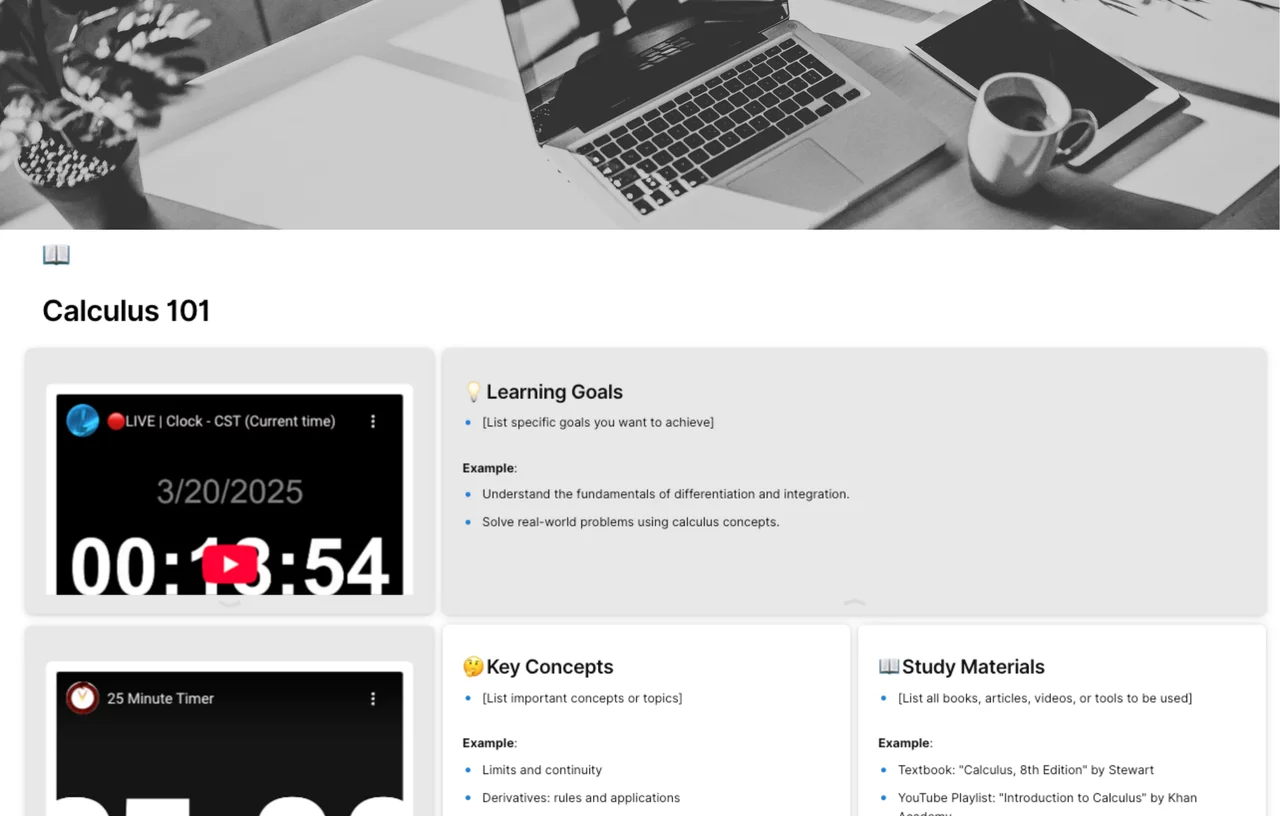
Quick answer: a strong study guide template should include learning goals, priority topics, key concepts, worked examples, self-test questions, an error log, and spaced review dates. If you need a ready-made starting point, open the AFFiNE Study Guide Template and adapt the sections below to your course.
What a Study Guide Template Should Include
Google Docs, Word, PDFs, notebooks, and whiteboards can all work. The format matters less than the sections. A high-performing study guide forces you to retrieve information, compare ideas, and schedule review before the exam window closes.
| Section | Purpose | What to Write |
|---|---|---|
| Exam goal | Keeps the guide focused | Course, unit, test date, target score, and the exact format of the assessment |
| Priority topics | Prevents equal effort on unequal material | A/B/C priority labels, grading weight, and confidence score for each topic |
| Key concepts | Builds a concise reference layer | Definitions, formulas, frameworks, diagrams, and common misconceptions |
| Cue questions | Turns notes into recall prompts | Questions you can answer without looking at the notes column |
| Worked examples | Shows how to apply the concept | Solved problems, model paragraphs, case examples, or annotated diagrams |
| Practice set | Tests transfer, not memorization | Easy, medium, and hard questions with answer keys |
| Review schedule | Locks in spaced repetition | Day 0, Day 1, Day 3, Day 7, and final review checkpoints |
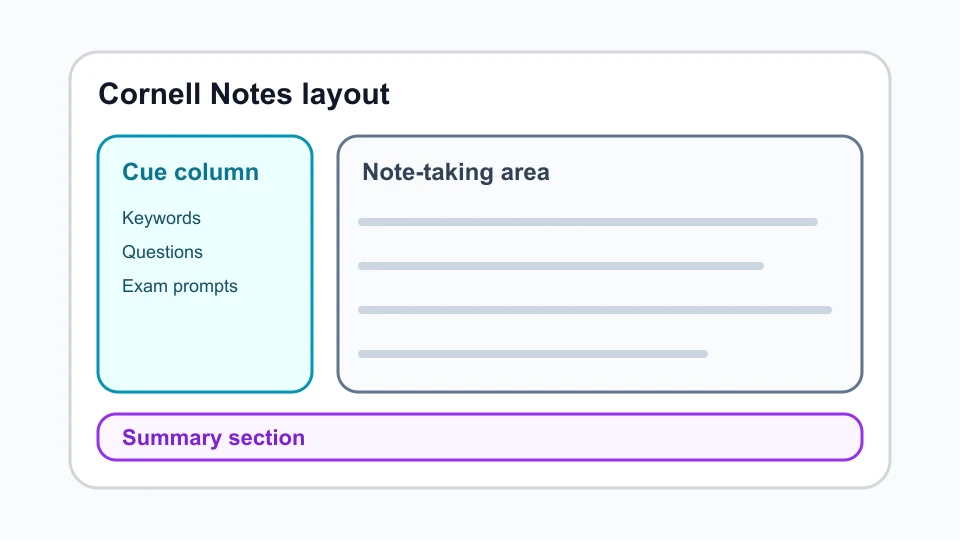
This structure pairs well with the Cornell notes template: cues on the left, notes on the right, and a summary at the bottom. Cornell University's Learning Strategies Center describes the Cornell system as a way to review and test yourself from your own notes, which is exactly what a study guide should support.
Choose the Right Study Guide Format by Subject
Do not use one generic layout for every class. A math exam needs worked solutions and error checks; a history exam needs timelines and source comparisons; a nursing exam needs clinical reasoning and concept maps.
| Subject or Exam Type | Best Template Format | Sections to Emphasize | Useful AFFiNE Link |
|---|---|---|---|
| Math, physics, finance | Formula sheet plus worked problems | Formula, when to use it, solved example, common trap, practice problem | study guide outline |
| Literature, history, social science | Timeline plus argument map | Key terms, chronology, evidence, compare/contrast prompts, thesis practice | note-taking methods |
| Biology, nursing, medicine | Concept map plus case review | Systems, symptoms, causes, labs, interventions, risk notes | nursing concept map |
| Language learning | Vocabulary cycle plus drills | Word, part of speech, example sentence, listening cue, spaced review | visual note-taking for students |
| Group project or capstone | Research board plus assignment tracker | Roles, deadlines, sources, decisions, open questions | assignment tracker template |
How to Create a Study Guide Template in 7 Steps
1. Define the Exam Outcome
Start with the assessment, not the notebook. Write down whether the exam is multiple choice, problem solving, essay based, oral, clinical, or project based. Then list the units and grading weight. This stops the template from becoming a pretty notes archive.
Use this first row:
| Course | Exam Date | Format | Target Score | Highest-Risk Topic |
|---|---|---|---|---|
| Biology 201 | May 14 | Mixed MCQ + short answer | 85 percent | Cellular respiration |
2. Collect the Source Material
Pull together lecture notes, slides, textbook chapters, problem sets, lab handouts, and old quizzes. Mark each source as primary or supporting. Primary sources are materials your instructor actually tests from; supporting sources help you understand the primary material.
If you are starting from messy class notes, use a note taking template first, then convert the cleaned notes into a study guide.
3. Turn Headings into Questions
Active recall starts when a heading becomes a question. Instead of copying "Photosynthesis steps," write "What happens during the light reactions and the Calvin cycle?" Instead of copying "World War I causes," write "How did alliances, nationalism, and imperial competition interact before 1914?"
Add three question levels for each major topic:
| Level | Example Question | Why It Helps |
|---|---|---|
| Basic recall | What is the definition? | Confirms you know the term |
| Application | When would I use this formula or framework? | Tests practical use |
| Transfer | How would this change in a new scenario? | Prepares you for unfamiliar exam wording |
4. Build a One-Page Study Guide Layout
Keep the first page scannable. A good one-page study guide is not a compressed textbook; it is a map of what to review next.
Copy this layout:
| Block | Space to Reserve | What Goes There |
|---|---|---|
| Goal and scope | Top 10 percent | Unit, exam date, target score, topic priority |
| Core concepts | 30 percent | Definitions, formulas, frameworks, diagrams |
| Cue questions | 20 percent | Questions you can answer from memory |
| Practice | 25 percent | Worked examples, short drills, missed-question log |
| Review plan | Bottom 15 percent | Day 0, Day 1, Day 3, Day 7, final review |
5. Add Visuals Only Where They Improve Recall
Use diagrams when relationships matter. A timeline helps history. A concept map helps biology and nursing. A process chart helps chemistry. A comparison table helps literature or social science. A random decorative image does not improve studying and can slow the page down.
For this reason, every image in this guide is a WebP asset with a descriptive alt tag and fixed dimensions. That keeps the article useful for readers, accessible for screen readers, and lighter for search crawlers.
6. Schedule Spaced Reviews
The University of Arizona's Thrive Center recommends adding spaced repetition to your study toolkit because reviews work better when they are spread out rather than crammed. Use the template to schedule reviews before you feel ready.
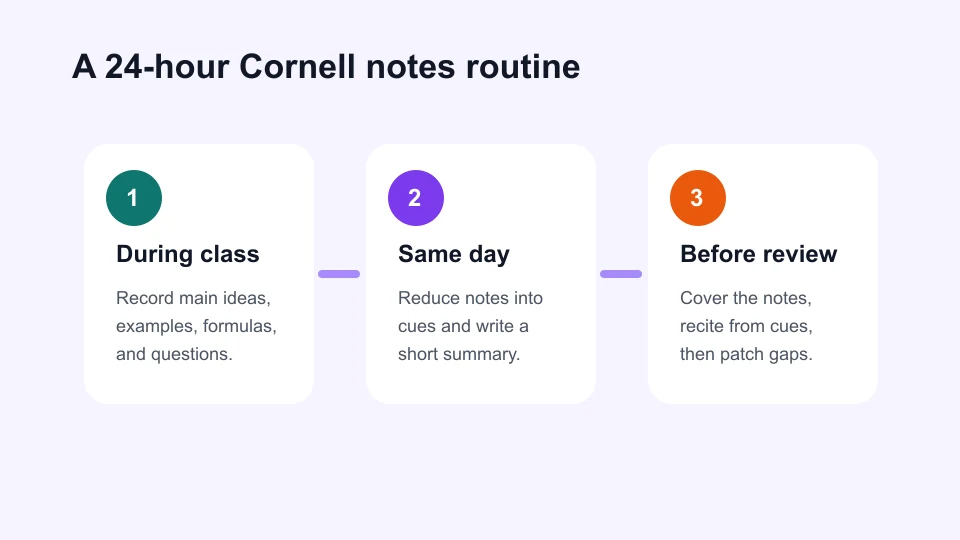
Use this schedule for a one-week exam runway:
| Day | Action | Output |
|---|---|---|
| Day 0 | Build the guide from notes | First draft and topic confidence scores |
| Day 1 | Quiz yourself without notes | Missed-question log |
| Day 3 | Rework weak topics | Updated examples and corrected misconceptions |
| Day 5 | Mix topics in one practice set | Transfer practice |
| Day 7 | Final review | One-page summary and sleep-ready checklist |
7. Update the Error Log After Every Practice Session
Your error log is the highest-value part of the template. Record the question, why you missed it, the corrected reasoning, and when you will retest it. This creates a feedback loop instead of another passive checklist.
| Missed Question | Cause | Correct Rule | Retest Date |
|---|---|---|---|
| Balanced chemical equation problem | Forgot coefficient order | Balance atoms before charge | Day 3 |
| Essay comparison prompt | Listed facts without a thesis | Use claim, evidence, analysis | Day 5 |
Digital, Printable, or Hybrid: Which Study Guide Template Works Best?
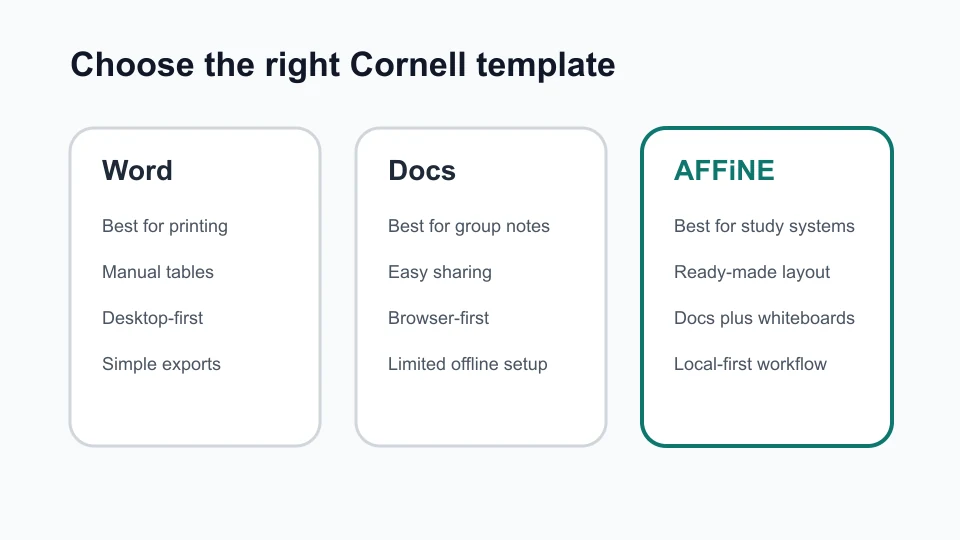
Most students do best with a hybrid workflow. Draft digitally so you can edit, link sources, and reorganize fast. Print or export the final one-page review sheet when you need a distraction-free session.
| Format | Best For | Watch Out For |
|---|---|---|
| Google Docs | Simple shared study guides and group editing | Long documents can become hard to navigate |
| Microsoft Word | Printable study sheets and offline editing | Version control can get messy |
| Final review packets | Harder to revise after practice sessions | |
| AFFiNE | Combining notes, whiteboards, mind maps, and task tracking | Needs a clear template so the workspace does not sprawl |
AFFiNE works well when your study guide needs more than a linear document. You can combine a Cornell page, a concept map, a task list, and a review board in one workspace. Pair the study guide with a student planner for weekly time blocking, then add an AI note taking workflow for college when lecture capture or summarization is part of your process.
Common Study Guide Template Mistakes
Avoid these problems before they weaken your review plan:
- Copying too much: If every paragraph from the textbook appears in the guide, you are not prioritizing.
- Skipping practice questions: A guide without questions only supports recognition, not recall.
- Using one format for every subject: Match the template to the exam task.
- Reviewing too late: A study guide built the night before the exam cannot use spaced repetition.
- Leaving images unlabeled: Diagrams need descriptive alt text and nearby explanation so they support accessibility and search.
- Ignoring mistakes: Missed questions should update the next review session.
Best Study Guide Template Example
Here is a practical starter template you can copy into AFFiNE, Google Docs, Word, or a printable PDF.
| Section | Prompt |
|---|---|
| Goal | What test, project, or skill is this guide preparing for? |
| Scope | Which units, chapters, lectures, labs, or readings are included? |
| Priority | Which topics are high, medium, and low value? |
| Core ideas | What definitions, formulas, theories, or frameworks must I know? |
| Examples | What solved problems, model answers, or case examples prove I can apply the idea? |
| Cue questions | What questions can I answer without looking at the notes? |
| Error log | What did I miss, why did I miss it, and when will I retest it? |
| Review schedule | When will I review this again? |
Frequently Asked Questions
What is a study guide template?
A study guide template is a reusable structure for organizing course material into goals, key concepts, examples, practice questions, and review dates. It helps you move from passive rereading to active recall and scheduled practice.
What are the five main sections of a study guide?
The five essential sections are learning goals, key concepts, examples or diagrams, practice questions, and a review schedule. For harder exams, add a missed-question log and topic confidence scores.
How do I make a study guide from notes?
Start by grouping notes by topic, then turn each heading into a question. Add short answers, worked examples, and one practice item per topic. Finish by scheduling spaced reviews and retesting missed questions.
Is a digital study guide better than a printable one?
Digital guides are better for editing, linking sources, and collaboration. Printable guides are better for final review and distraction-free recall. A hybrid approach usually works best: build digitally, then print the final one-page summary.
What is the best study guide template for visual learners?
Visual learners should use a concept map, timeline, or comparison matrix rather than a text-only outline. For diagram-heavy subjects, start with visual note-taking for students and add cue questions beside each diagram.
Can AI help create a study guide?
AI can summarize lecture transcripts, suggest quiz questions, and organize rough notes, but you should still verify facts, rewrite answers in your own words, and keep the final error log yourself. For a structured workflow, see using AI notes for exam preparation.