8 Best Evernote Alternatives for 2026 That Cut Costs, Not Features
Evernote alternatives matter most when Evernote's current limits no longer match your workflow. As of July 2026, Evernote's own plan comparison lists the Free tier with 50 notes, 1 notebook, sync on 1 device, 1GB storage, and 200 attachments, while paid tiers expand notes, notebooks, devices, storage, and AI features. That makes the right replacement less about copying Evernote feature-for-feature and more about choosing the app that fits how you capture, organize, search, and share knowledge now.
An Evernote alternative is a note-taking or knowledge-management app that can replace Evernote's core capture, notebooks, tags, search, attachments, and web-clipping workflow while improving a specific constraint such as free-plan capacity, offline access, Markdown portability, collaboration, or local-first data control.
Quick comparison: best Evernote alternative by need
| If you need... | Start with... | Why it fits |
|---|---|---|
| Local-first notes, docs, whiteboards, and databases | AFFiNE | Combines structured notes with visual planning and optional cloud sync. |
| A familiar free notebook app | Microsoft OneNote | Strong Microsoft 365 integration and generous cross-device access. |
| Team wiki, databases, and project pages | Notion | Flexible pages and databases for collaborative workspaces. |
| Markdown files and private local knowledge bases | Obsidian or Logseq | Portable plain-text workflows with backlinks and graph views. |
| Fast reminders and lightweight capture | Google Keep | Simple capture inside the Google ecosystem. |
| Visual boards for creative planning | Milanote or Heptabase | Spatial organization for moodboards, research, and idea mapping. |
This guide compares 8 Evernote alternatives for 2026 across migration fit, offline access, collaboration, pricing, Markdown portability, visual planning, and long-term data control.
Why Consider Evernote Alternatives?
Evernote remains a mature note-taking product, but many users now evaluate alternatives after hitting one of three pressure points: free-plan limits, a need for cleaner migration/export paths, or a workflow that has grown beyond notebooks into docs, whiteboards, databases, tasks, and team knowledge.
Evernote's Limitations and Recent Changes
The most practical reason to compare alternatives is not that Evernote stopped working; it is that its free and paid tiers now force clearer tradeoffs. Free users get a small workspace with 50 notes, 1 notebook, sync on 1 device, 1GB storage, and 200 attachments. Paid plans unlock more storage, unlimited notes or notebooks depending on tier, broader device sync, and AI features, but that may be more than a casual user wants to pay for.
Evernote can also feel heavy if your system depends on local Markdown files, visual planning, open-source control, or database-style project tracking. In those cases, switching to a focused alternative can reduce friction instead of simply replacing one notes app with another.
The Importance of Finding the Right Note-Taking App
Choosing the right note-taking app is crucial for several reasons:
-
Migration safety: Your notes should export, import, and remain searchable without losing attachments or context.
-
Workflow fit: A notebook app, wiki, Markdown vault, whiteboard, or task database each supports a different style of thinking.
-
Accessibility: Being able to access your notes anytime, anywhere, on the devices you actually use is key.
-
Collaboration: Shared docs, permissions, comments, and real-time editing matter if your notes have become team knowledge.
-
Cost-effectiveness: The best app is the one whose free or paid tier matches your real note volume, storage, and sync needs.
-
Future-proofing: Active development, open export formats, and a strong user base reduce lock-in risk.
As you compare the best Evernote alternatives for 2026, start with the reason you are switching: lower cost, better free limits, local-first privacy, Markdown portability, visual planning, or stronger team collaboration.
Top 8 Evernote Alternatives for 2026
AFFiNE
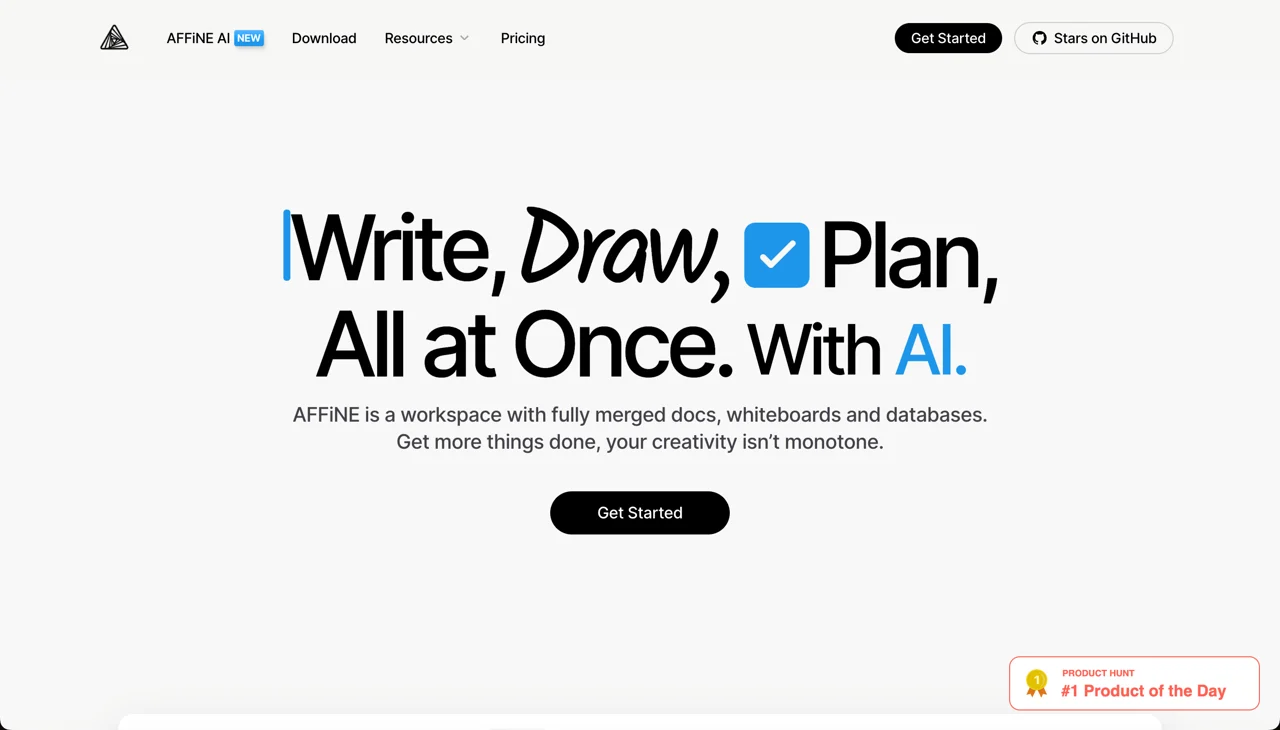 AFFiNE is an open-source, local-first Evernote alternative for people who want notes, docs, whiteboards, and databases in one workspace. It is a strong fit when your Evernote system has outgrown notebooks and you need visual planning, structured pages, and privacy-conscious sync options.
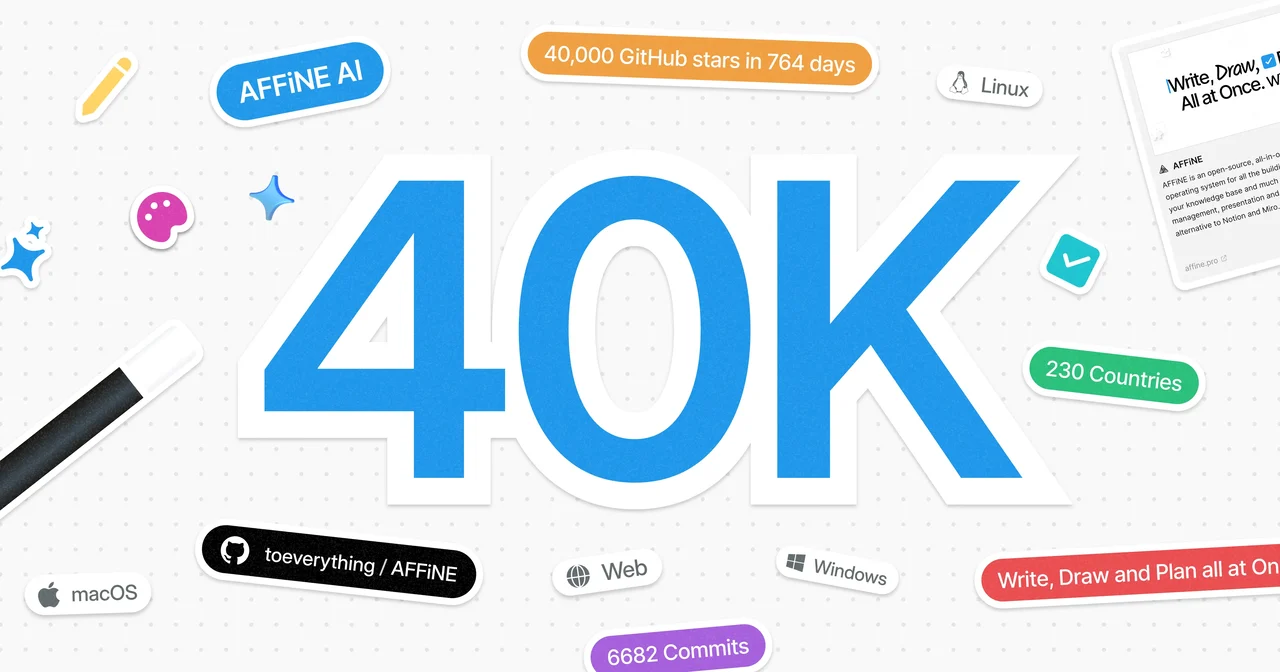 Its public GitHub community and AGPL license make AFFiNE easier to evaluate than closed note-taking tools: you can inspect the project, follow development, and choose between local-first use, optional cloud sync, and self-hosting. For users leaving Evernote because of lock-in concerns, that transparency is a major advantage.
Key Features
-
Markdown-Based Note-Taking: Streamlined writing experience with formatting options.
-
Kanban Board for Task Management: Visual organization of tasks to enhance productivity.
-
Real-Time Collaboration: Work simultaneously with others on notes and projects.
-
Local-First Architecture: Prioritizes offline access with optional cloud sync.
-
Whiteboard Mode: Ideal for visual thinking and brainstorming.
-
AFFiNE AI: Turn rough notes into summaries, outlines, and mind maps for faster review.
Pros and Cons
Pros:
-
Open-source and privacy-focused.
-
Versatile with features for note-taking, task management, and whiteboarding.
-
Offline-first approach guarantees data availability.
-
Active development with frequent updates.
Cons:
-
May experience some stability issues.
-
Learning curve for users accustomed to traditional note-taking apps.
-
Smaller ecosystem compared to established alternatives.
Pricing
-
Free and open-source.
-
Self-hosted option available.
-
Paid cloud plans are now available.
Best For
AFFiNE is best for privacy-conscious users and those who appreciate open-source software with a local-first approach to data management. Its commitment to user privacy ensures that your data remains secure and under your control, making it an excellent choice for individuals and teams concerned about data breaches and surveillance.
In addition to its privacy features, AFFiNE offers a variety of templates to help users get started quickly, streamlining the note-taking and project management process. This means you can easily customize your workspace without having to build everything from scratch.
Furthermore, AFFiNE includes an innovative feature called AFFiNE AI, which allows users to convert documents into mind maps rapidly. This functionality enhances brainstorming sessions and aids in visualizing complex ideas, making it easier to organize thoughts and concepts in a more intuitive manner. Overall, AFFiNE stands out as a powerful tool that balances privacy, functionality, and user-friendliness.
Notion
Notion is a versatile productivity tool that combines note-taking, task management, and collaboration in a single platform, making it a popular choice among users looking for an all-in-one solution. Its flexibility allows users to create customized workspaces tailored to their specific needs, whether for personal organization or team projects. Unlike Evernote, which focuses primarily on note-taking, Notion offers a wide range of features, including kanban boards, databases, and calendars, all within a single interface. This comprehensive approach enables users to streamline their workflows and reduce the need for multiple applications.
Moreover, Notion’s collaborative features allow teams to work together in real time, making it easier to share ideas, track progress, and manage projects seamlessly. The platform’s ability to integrate with other tools enhances its functionality, further positioning it as a robust alternative to Evernote. For users seeking a more dynamic and customizable solution, Notion provides the versatility and collaboration capabilities that make it an excellent choice for enhancing productivity and organization.
Key Features
-
Markdown Support: Offers a streamlined writing experience with easy formatting options.
-
Kanban Boards: Visualize and manage tasks effectively with customizable boards.
-
Real-Time Collaboration: Collaborate with team members in real-time on notes and projects.
-
Cross-Platform Access: Seamlessly access your workspace on various devices and operating systems.
-
Database Functionality: Organize information in customizable databases for enhanced tracking and management.
-
Templates and Integrations: Utilize a variety of templates and integrations with other tools to enhance productivity.
Pros and Cons
Pros:
-
Highly customizable interface that adapts to various workflows.
-
Robust collaboration features for team projects.
-
Comprehensive integration capabilities with other productivity tools.
-
Active community and frequent updates that enhance functionality.
Cons:
-
Can be overwhelming for new users due to its extensive features.
-
Performance issues may arise with large databases or complex setups.
-
The free plan has limitations on blocks and features.
Pricing
-
Free plan available with essential features.
-
Paid plans offer expanded functionality and additional features.
Best For
Notion is ideal for users seeking a highly flexible productivity tool that can serve as a central hub for note-taking, project management, and collaboration, particularly in team environments.
Microsoft OneNote
Microsoft OneNote is a powerful productivity tool that combines note-taking, organization, and collaboration in a single platform, making it a favored choice for users seeking a comprehensive solution for their personal and professional needs.
Key Features
-
Rich Text Formatting: Offers a versatile writing experience with extensive formatting options, including text, images, and audio notes.
-
Notebooks and Sections: Organize information within customizable notebooks and sections for easy navigation.
-
Real-Time Collaboration: Work together with team members on notes and projects in real time, enhancing group productivity.
-
Cross-Platform Access: Seamlessly access your notes across various devices, including desktops, tablets, and smartphones.
-
Integration with Microsoft Office: Easily integrate with other Microsoft Office applications, allowing for a smoother workflow.
-
Web Clipper: Capture web content directly into OneNote for easy reference and organization.
Pros and Cons
Pros:
-
Highly intuitive interface that simplifies note-taking and organization.
-
Excellent collaboration features for team projects and sharing.
-
Strong integration with other Microsoft products enhances functionality.
-
Supports multimedia notes, including audio recordings and images.
Cons:
-
Can feel cluttered for users who prefer a minimalist interface.
-
Performance may be affected with large notebooks or extensive content.
-
Limited export options compared to some competitors.
Pricing
-
Free plan available with essential features.
-
Part of Microsoft 365 subscription plans for expanded functionality and storage.
Best For
Microsoft OneNote is ideal for users looking for a flexible and feature-rich note-taking tool that can serve as a central hub for personal organization and team collaboration, especially within the Microsoft ecosystem.
Milanote
Milanote is a visually appealing productivity tool that integrates note-taking, project management, and collaboration into a single platform, making it an ideal choice for creative professionals and teams looking for an easy and organized solution.
Key Features
-
Visual Boards: Create dynamic boards that allow you to arrange notes, images, and tasks visually, promoting creative thinking.
-
Flexible Note-Taking: Supports various types of content, including text, images, links, and files, for a rich note-taking experience.
-
Real-Time Collaboration: Work with team members on shared boards in real time, facilitating seamless collaboration and brainstorming.
-
Cross-Platform Access: Access your projects on any device, ensuring your ideas are always within reach.
-
Templates and Layouts: Utilize a variety of customizable templates to kickstart your projects and maintain organization.
-
Integration with Third-Party Tools: Easily connect with other productivity tools to enhance your workflow.
Pros and Cons
Pros:
-
Highly visual interface that appeals to creative users.
-
Excellent collaboration features for team projects and brainstorming sessions.
-
Flexible structure allows for a personalized organization of ideas and tasks.
-
Active community and frequent updates enhance functionality.
Cons:
-
May not be ideal for users who prefer traditional text-based note-taking.
-
Some users may find the visual layout less efficient for extensive text notes.
-
Limited offline functionality compared to some competitors.
Pricing
-
Free plan available with basic features.
-
Paid plans offer additional functionality and storage options.
Best For
Milanote is perfect for creative professionals and teams looking for a flexible, visually-driven tool that serves as a central hub for organizing ideas, managing projects, and collaborating effectively.
Google Keep
Google Keep is a simple yet powerful note-taking application that enables users to capture thoughts, make lists, and organize information across several devices. Its connection with the Google ecosystem makes it a popular choice among people looking for a simple and fast way to organize their notes and activities.
Key Features
-
Sticky Note Interface: Create colorful, visual notes that can be easily rearranged on your dashboard for quick access.
-
Labels and Colors: Organize notes using customizable labels and colors, making it easy to categorize and find information at a glance.
-
Real-Time Collaboration: Share notes and collaborate with others in real time, enhancing group productivity.
-
Cross-Platform Access: Access your notes on any device, including smartphones, tablets, and desktops, ensuring your ideas are always at your fingertips.
-
Voice Notes and Reminders: Capture thoughts quickly using voice memos and set reminders to stay on top of your tasks.
-
Integration with Google Services: Easily integrate with other Google tools like Google Drive and Google Docs for a cohesive workflow.
Pros and Cons
Pros:
-
User-friendly interface that is easy to navigate.
-
Quick and efficient for capturing short notes and ideas.
-
Strong integration with the Google ecosystem enhances functionality.
-
Excellent for collaborative projects with real-time sharing capabilities.
Cons:
-
Limited formatting options compared to more advanced note-taking apps.
-
Not ideal for complex project management or long-form content.
-
Offline functionality can be restricted in some cases.
Pricing
- Free to use with a Google account, offering essential features without any cost.
Best For
Google Keep is ideal for users who want quick capture, simple lists, reminders, and lightweight collaboration inside the Google ecosystem. It is not a full Evernote replacement for large research archives, but it works well for fast notes that do not need complex organization.
Obsidian
Obsidian is a Markdown-based note-taking and knowledge-management app for building a private, interconnected personal knowledge base. Its backlinking, graph view, and local file storage make it a strong Evernote alternative for writers, students, researchers, and anyone who wants portable notes instead of a closed database.
Key Features
-
Markdown Support: Write notes in plain text using Markdown, allowing for easy formatting and portability.
-
Linking and Backlinking: Create connections between notes effortlessly, enabling a network of ideas that can be explored and expanded.
-
Graph View: Visualize your notes and their connections through an interactive graph, helping to see the relationships between concepts.
-
Customizable Themes and Plugins: Personalize your workspace with a variety of themes and extend functionality with community-developed plugins.
-
Offline Access: Work on your notes anytime, anywhere, without needing an internet connection.
-
Search Functionality: Quickly find notes using powerful search tools, including tag and keyword searches.
Pros and Cons
Pros:
-
Highly customizable and adaptable to individual workflows.
-
Robust linking features promote deeper understanding and retention of information.
-
Active community that contributes plugins and themes for enhanced functionality.
-
Offline capabilities ensure access to notes without the need for internet.
Cons:
-
Steeper learning curve compared to simpler note-taking apps.
-
May require time to set up and customize to fit personal preferences.
-
Limited collaboration features compared to some cloud-based alternatives.
Pricing
- Free for personal use with an optional paid subscription for advanced features and syncing across devices.
Best For
Obsidian is suitable for people looking for a versatile and powerful note-taking tool that focuses on connecting and organizing thoughts. It's ideal for authors, students, and researchers looking to construct a comprehensive knowledge base and investigate the connections between their notes.
Logseq
Logseq is an open-source note-taking and knowledge management tool designed for users who want to create interconnected notes while building a personal knowledge base. Developed by a small team, Logseq offers a unique approach to organizing thoughts and information, making it an appealing choice for writers, researchers, and anyone interested in a more structured way to capture ideas.
Key Features
-
Markdown and Org Mode Support: Write notes in plain text using Markdown or Org mode, providing flexibility in formatting and organization.
-
Bidirectional Linking: Easily create connections between notes, enabling a web of ideas that can be explored and expanded upon.
-
Outline Structure: Organize your notes hierarchically with an intuitive outline format, promoting clarity and focus.
-
Graph View: Visualize your notes and their connections through an interactive graph, making it easier to see relationships between concepts.
-
Customizable Themes and Plugins: Personalize your workspace with various themes and extend functionality with community-developed plugins.
-
Offline Access: Work on your notes anytime, anywhere, without needing an internet connection.
Pros and Cons
Pros:
-
Open-source nature allows for transparency and community-driven development.
-
Highly customizable to fit individual workflows and preferences.
-
Robust linking features enhance understanding and retention of information.
-
Active community contributes plugins and themes for additional functionality.
Cons:
-
Steeper learning curve compared to more straightforward note-taking apps.
-
May require time to set up and tailor to personal needs.
-
Limited collaboration features compared to some mainstream alternatives.
Pricing
- Free to use with a focus on community support and open-source principles.
Best For
Logseq is ideal for users seeking a flexible, open-source note-taking tool that emphasizes connectivity and organization of ideas. It’s particularly suited for writers, students, and researchers who want to build a comprehensive knowledge base while supporting a small, innovative team dedicated to enhancing the tool's capabilities.
Heptabase
Heptabase is an innovative note-taking and project management tool designed for users who want to streamline their creative processes and enhance collaboration. With a focus on visual organization and team synergy, Heptabase is an excellent choice for marketers, content creators, and teams looking for an effective way to manage ideas and projects.
Key Features
-
Visual Boards: Create engaging boards that allow users to arrange notes, images, and tasks in a visually appealing format, facilitating creative thinking.
-
Collaboration Tools: Share boards and collaborate with team members in real time, enhancing productivity and idea exchange.
-
Task Management: Track progress with built-in task management features, including deadlines, assignments, and status updates.
-
Customizable Templates: Utilize various templates to jumpstart projects and maintain organization, tailored to different workflows.
-
Cross-Platform Access: Access your projects on any device, ensuring your ideas are always available when you need them.
-
Integrations with Other Tools: Easily connect with popular productivity tools to enhance your workflow and streamline processes.
Pros and Cons
Pros:
-
Intuitive interface that simplifies project management and note-taking.
-
Excellent collaboration features make it easy for teams to work together.
-
Flexible structure allows for personalized organization of ideas and tasks.
-
Regular updates from a dedicated team enhance functionality.
Cons:
-
May lack some advanced features found in more established note-taking apps.
-
Users seeking a minimalist interface might find it visually busy.
-
Limited offline capabilities compared to some competitors.
Pricing
- Free plan available with essential features, along with paid options for advanced functionality and additional storage.
Best For
Heptabase is perfect for creative professionals and teams looking for a visually-driven tool that supports collaboration and organization. It's ideal for marketers, content creators, and project teams who want to streamline their workflows while fostering a dynamic environment for idea generation and project management.
Other Evernote Alternatives Worth Shortlisting
Bear Notes: A Cheaper Alternative with Markdown Support
Bear Notes is a note-taking app that offers a cost-effective alternative to Evernote, with a focus on simplicity and efficiency. It provides a range of features such as note organization, tagging, and searching, which help users keep their notes well-structured and easily accessible. Bear Notes also supports Markdown, allowing users to format their notes with ease. The app includes a distraction-free writing mode, which is perfect for users who want to focus on their writing without any interruptions. With its affordable pricing and robust feature set, Bear Notes is an excellent choice for users looking for a straightforward and efficient note-taking app.
Reflect Notes: The Secure and AI-Powered Note Taking App
Reflect Notes is a note-taking app that prioritizes security and advanced features. It offers a range of functionalities such as note organization, tagging, and searching, making it easy to keep your notes well-organized and accessible. Reflect Notes stands out with its AI-powered note analysis, which helps users gain insights from their notes and improve their productivity. Additionally, the app provides secure encryption to ensure that your notes remain private and protected. For users who value security and advanced features, Reflect Notes is an excellent choice for managing and organizing notes effectively.
NotePlan: A Markdown-Based Note Taking Solution
NotePlan is a note-taking app that uses Markdown to format notes, making it a popular alternative to Evernote. This app is designed for users who prefer a clean, text-based approach to note-taking. NotePlan offers a range of features such as note organization, tagging, and searching, which help users keep their notes well-structured and easily accessible. Additionally, NotePlan integrates seamlessly with other apps and services, allowing users to streamline their workflow and enhance productivity. Whether you’re managing daily tasks or organizing detailed notes, NotePlan provides a flexible and efficient solution for all your note-taking needs.
This comparison table provides a quick overview of the key features and offerings of each tool, helping you determine which alternative best suits your needs.
Tips for Transitioning from Evernote
Making the switch from Evernote to a new note-taking app can seem daunting, but with a structured approach, the process can be smooth and efficient. Here’s a comprehensive guide to help you transition successfully.
How to Export Notes from Evernote
The first step in your transition is exporting your notes from Evernote. This process is straightforward:
-
Open Evernote: Start by launching the Evernote application on your desktop.
-
Select Your Notes: Choose the notes or entire notebooks you wish to export. You can select multiple items by holding down the Ctrl (Windows) or Command (Mac) key while clicking on your desired notes.
-
Export Your Notes: Navigate to the menu and click onFile, then select Export Notes. Choose the appropriate format (like .enex for Evernote XML) and decide where to save the exported file.
-
Confirm the Export: Finally, clickSaveto complete the export process. You now have a backup of your notes ready for import into your new app.
Tips for Organizing and Importing into New Apps
After exporting your notes, it’s time to organize and import them into your new app. Here are some tips to ensure a smooth transition:
Plan Your Structure
Before importing, think about how you want to organize your notes in the new application. Create a structure that fits your workflow—this could be based on projects, topics, or dates. A clear organization will make it easier to find and manage your notes later.
Clean Up Your Notes
Use this transition period to declutter. Review your exported notes and delete any that are outdated or irrelevant. This will simplify the import process and help you retain only the information you truly need.
Use Tags and Categories
If the new app supports tagging or categorization, consider applying these features during or after the import. Organizing your notes with tags can enhance retrieval and make your workspace more efficient.
Import Your Notes
Follow the specific import instructions for your new app. Most serious Evernote alternatives support .enex import directly or provide a documented migration path. Test one notebook first, check formatting, attachments, tags, and internal links, then migrate the rest in batches.
Test the New Workflow
Take some time to explore the new app's features. Create a few test notes and organize them according to your planned structure. This will help you familiarize yourself with the interface and functionality of the new tool.
Backup Your Notes
Always keep a backup of your exported notes, whether in the original Evernote format or as a separate backup file. This precaution ensures that you won’t lose any important information during the transition.
Seek Help if Needed
If you encounter any challenges during the transition, don’t hesitate to check the support resources for the new app. Many platforms offer community forums, FAQs, or customer support to assist you with common issues.
By following these tips, you can ensure a smooth transition from Evernote to your new note-taking app. With a little planning and organization, you can maintain your productivity throughout the process and set yourself up for success in your new digital workspace.
Conclusion
In summary, if you're considering a transition from Evernote, there are several compelling alternatives available, with AFFiNE standing out as an excellent choice for privacy-conscious users. Its open-source nature, local-first approach, and powerful features like Markdown support and real-time collaboration make it a versatile tool for managing notes and tasks.
Don’t hesitate to explore a few of these alternatives to find the one that best suits your needs. Each app offers unique features and functionalities, so trying them out can help you determine which platform enhances your productivity and aligns with your workflow. Embrace the opportunity to find a new digital workspace that works better for you!
FAQs
Is Evernote still going away?
No. As of July 2026, Evernote still operates under Bending Spoons and continues to publish plan information, including Free, Starter, Advanced, and Enterprise tiers. The stronger reason to compare alternatives is not shutdown risk; it is whether Evernote's current limits, pricing, AI bundle, and workflow model still fit your notes.
Is Evernote still worth it in 2026?
Evernote can still be worth it if you like its capture tools, search, web clipper, and current paid plans. It is less compelling if you mainly need a generous free plan, local Markdown files, open-source control, visual planning, or a team workspace that combines notes with databases and project pages.
What are some good substitutes for Evernote?
There is no one-size-fits-all substitute for Evernote, but these are strong starting points:
-
Notion: Great for an all-in-one team workspace with pages and databases.
-
AFFiNE: Best for open-source, local-first notes, docs, whiteboards, and visual planning.
-
OneNote: A familiar free notebook app with strong Microsoft integration.
-
Obsidian: Best for Markdown files, backlinks, and private local knowledge bases.
-
Logseq: Best for open-source outlining, journals, backlinks, and local-first workflows.
Your best choice depends on budget, device sync, migration needs, collaboration, offline access, and whether you want notebooks, databases, Markdown, or visual boards.
What is the best free Evernote alternative?
For a familiar notebook experience, start with OneNote. For quick capture, use Google Keep. For local Markdown and privacy, compare Obsidian and Logseq. For an open-source workspace that combines notes with whiteboards and databases, try AFFiNE's free local-first workflow.
Can I easily transfer my notes from Evernote to another app?
Most popular Evernote alternatives provide an import path for .enex exports, but results vary by app. Export a small notebook first, import it into your shortlist, then check formatting, attachments, tags, OCR/search behavior, and internal links before migrating your full archive.